
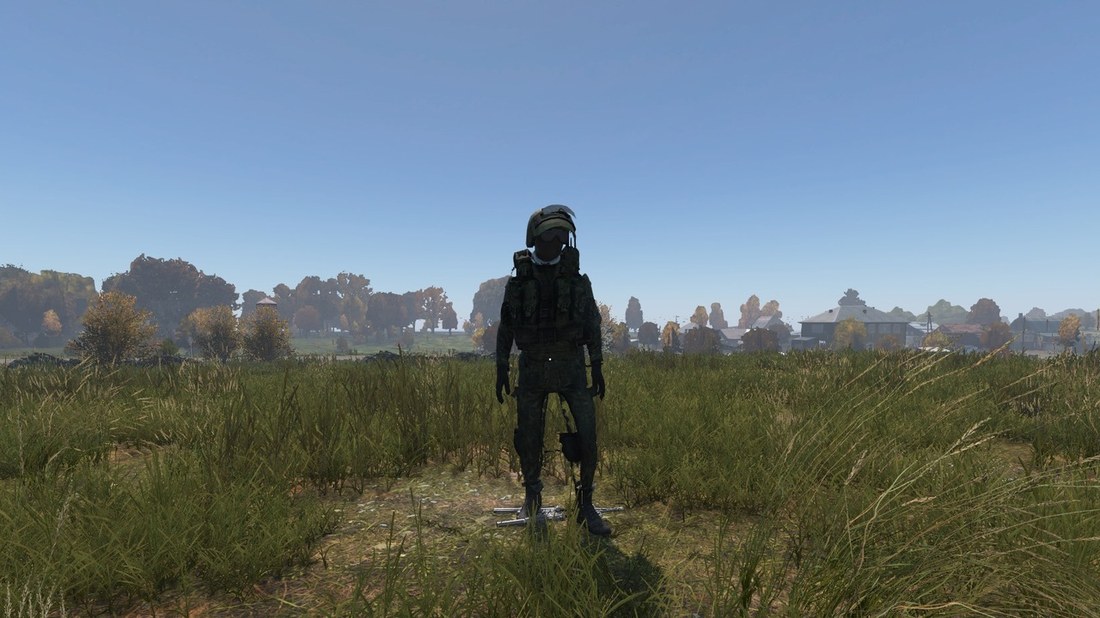
Clothing – jacket, trousers, vest, belt, boots, gloves, helmet, balaclava, scarf, glasses. Fitted to the DayZ character with bone weights, LODs, a ground model and config.
BLENDER ADD-ON
DayZ Model Tools
Turn a downloaded 3D model into a finished DayZ mod. Clothing, firearms, knives, vehicles, buildings, items and crates are aligned to vanilla DayZ, given LODs, collision and config and packed into a PBO – from inside Blender.
33Downloads
770Visits
332last 7 days
28today
BLENDER ADD-ON
What the plugin does
A whole soldier at once – the character model is split into items and all of them are fitted with one click.
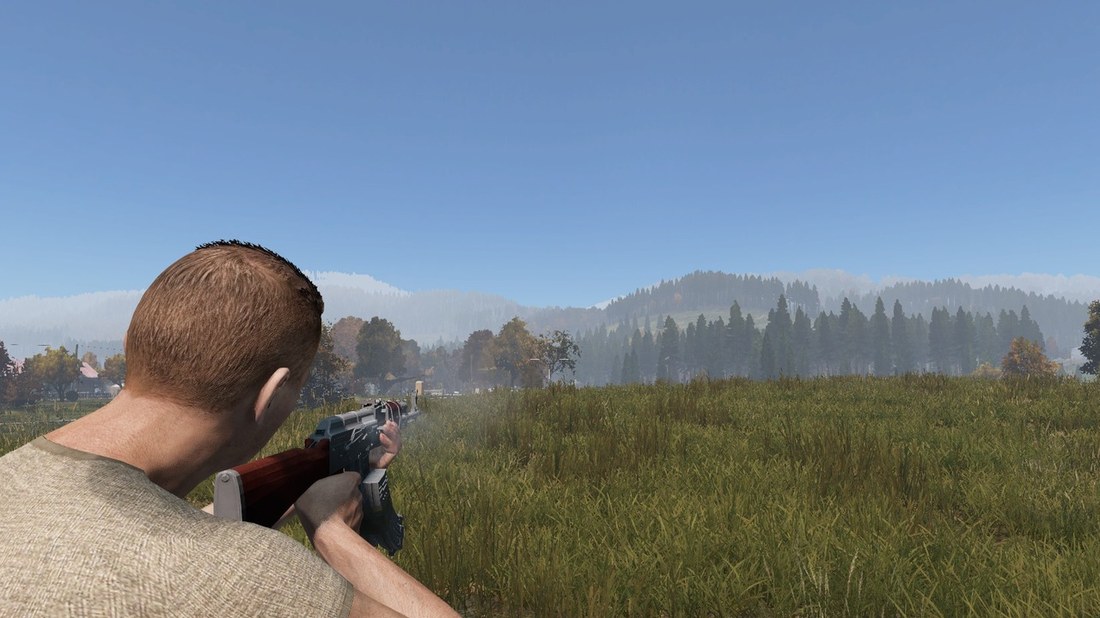
Firearms – from 87 vanilla templates. An assembled weapon is split into attachments (suppressor, optic, stock, handguard, flashlight, magazine).
Knives and melee – knives, machetes, axes, bats, batons from 30 vanilla templates.
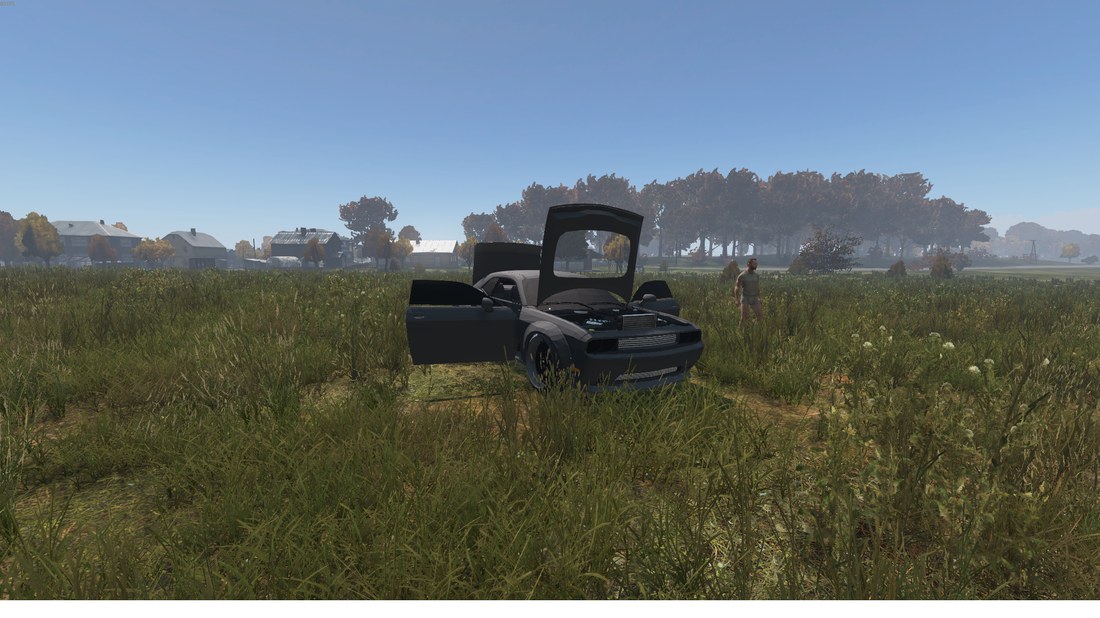
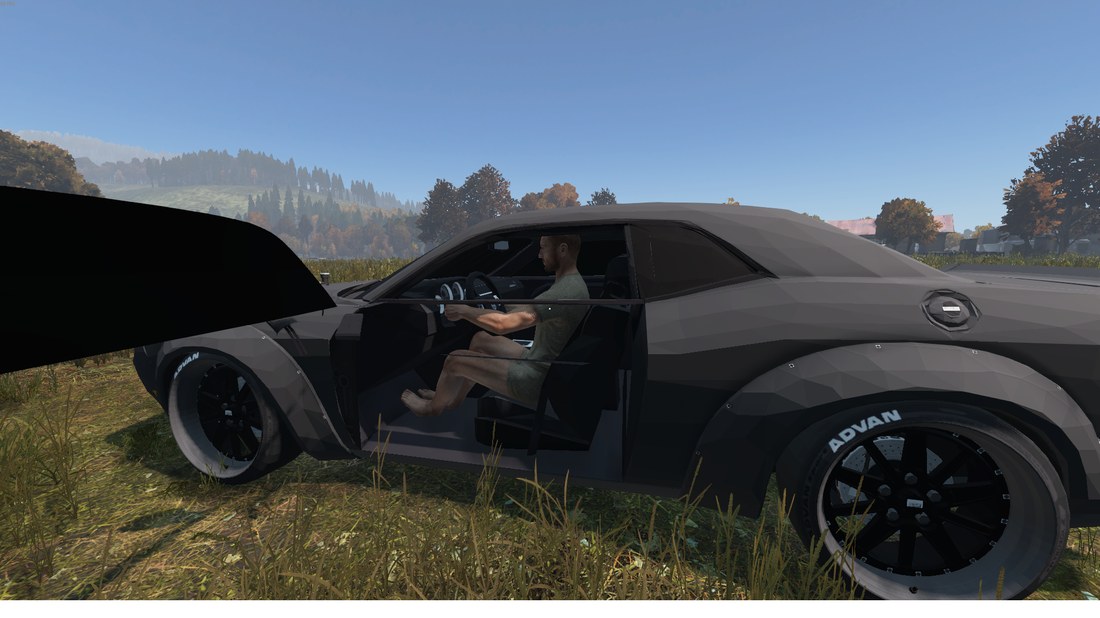
Vehicles – from the Niva or Olga: wheels, steering wheel, seats, lights, opening doors, hood and trunk, driving like vanilla.
Buildings – LODs, collision, floors and stairs (Roadway), doors with hinge and animation, glass.
Model check – before building, shows what the plugin found and highlights the parts in colour on the model.
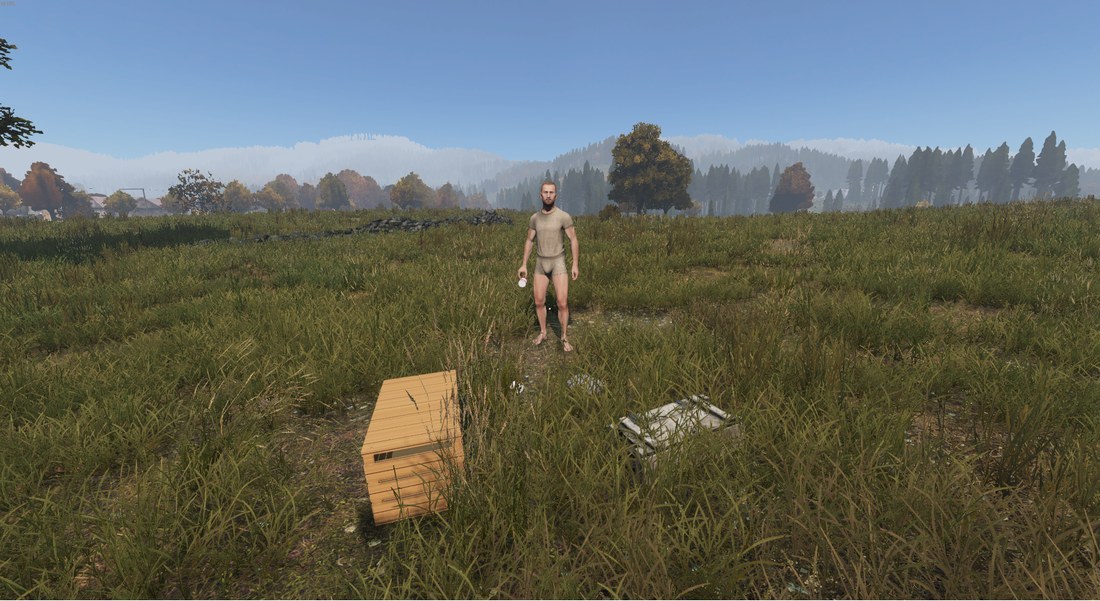
Items and containers – food, drinks, bandages, pills, collectibles, cases, crates, cabinets and tents. Grip in hand from the shape, space inside crates and types.xml for the server.
Buldozer preview – see the finished model in Buldozer with one button, like from Object Builder.
Mod build – textures to PAA, binarizing and packing into a PBO right in the DayZ folder.
Guide
Home
A Blender add-on that turns a downloaded 3D model into a finished DayZ mod: clothing, firearms, knives, vehicles, buildings, items and containers. You don't need to model or know Object Builder – the plugin aligns the model to vanilla DayZ, finds the parts by itself and builds the mod.
Quick overview
- Install the plugin and DayZ Tools.
- In Blender open the DayZ panel (N key).
- Import a model and click CHECK MODEL.
- Click the buttons in the order 1 → 2 → 3.
- Start DayZ with the mod and try it.
What you need
| Program | Where to get it |
|---|---|
| Blender 3.6 | Steam or blender.org |
| DayZ Tools | Steam → Library → Tools → DayZ Tools |
| Drive P: | DayZ Tools → Workdrive → Mount |
| DayZ | Steam |
Installation
1
Download the plugin as dayz_model_tools.zip (don't unpack it).
2
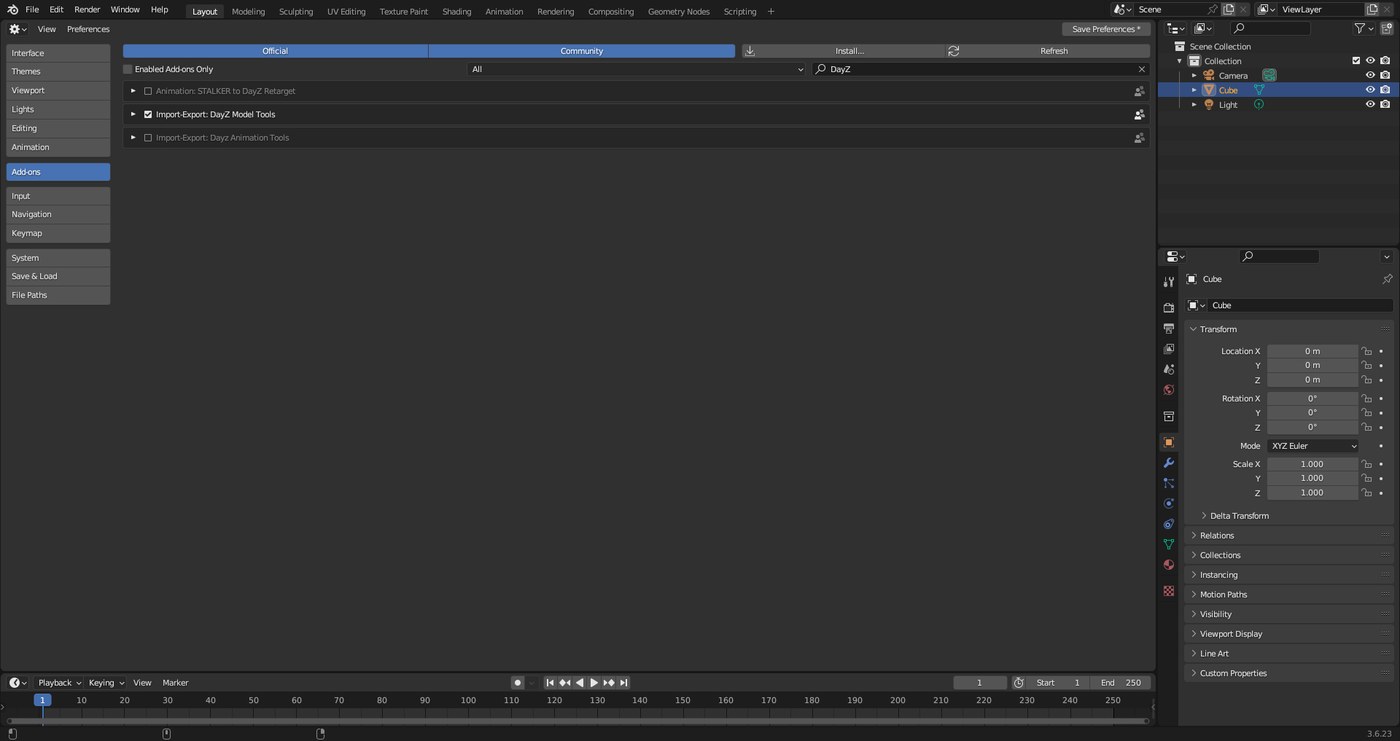
In Blender open Edit → Preferences → Add-ons, click Install…, pick the zip, type DayZ in the search and tick DayZ Model Tools.
3
The plugin finds DayZ and DayZ Tools by itself (registry, all Steam libraries, all drives). If it doesn't, click Search all drives in the Paths box or pick the folder by hand.
DayZ panel
Everything is controlled from the sidebar in the 3D view.
1
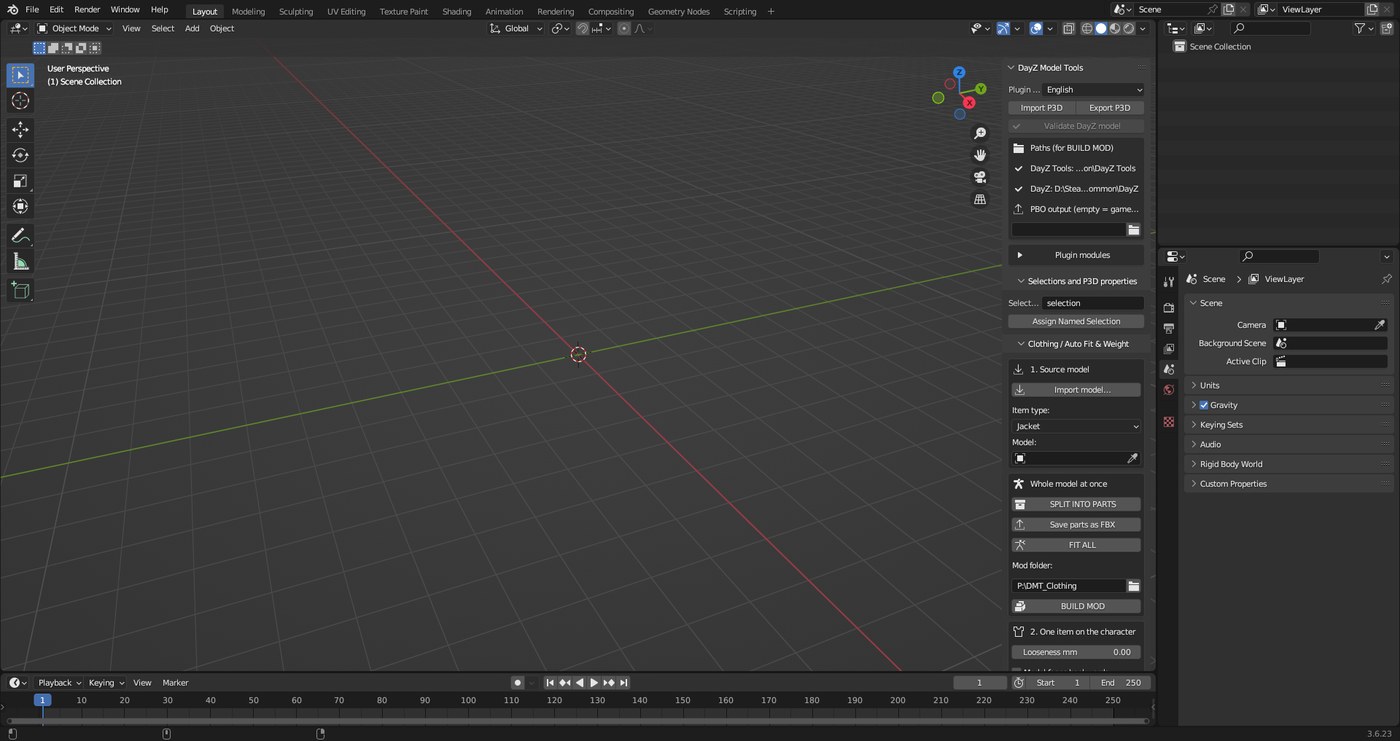
Move the mouse over the 3D view and press N. A sidebar opens on the right. Choose the DayZ tab (vertical label on the right edge).
2
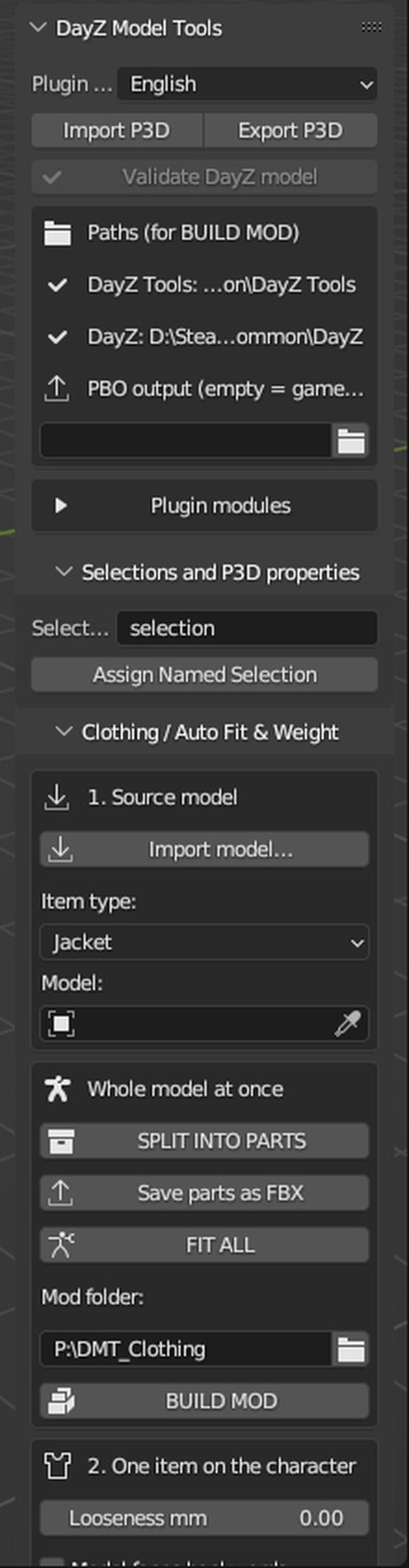
At the top choose the Plugin language (English, Czech, Russian – switches instantly). The Paths box shows where the plugin found DayZ Tools and the game, and lets you set the PBO output. Under Plugin modules turn on what you need: clothing, weapons, vehicles, buildings.
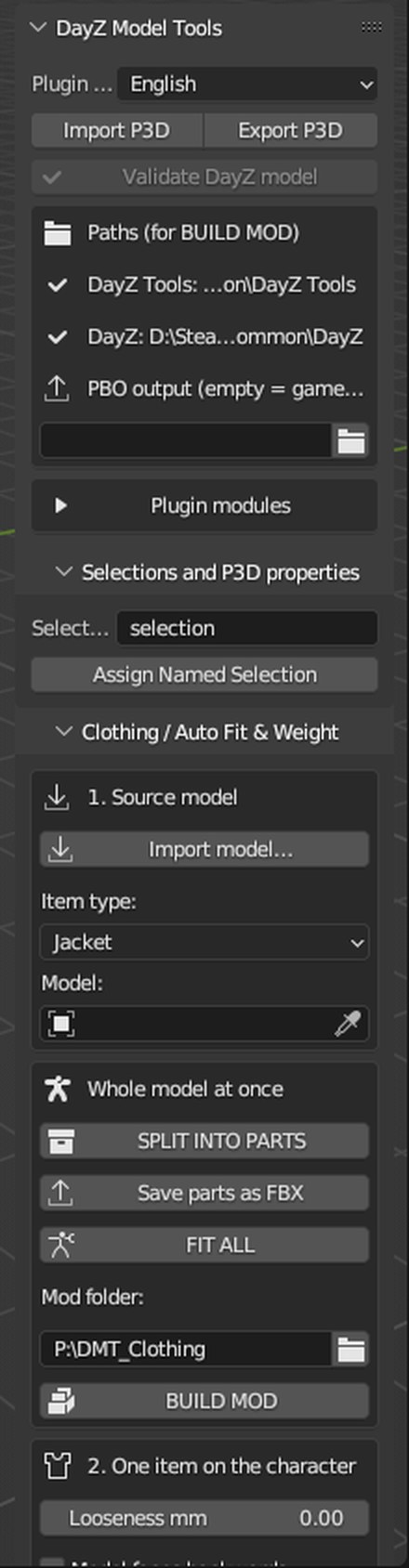
Tip: scroll with the mouse wheel over the panel. Drag its left edge to change its width. Hover a button to see its tooltip.
Importing a model
All panels (clothing, weapons, vehicles, buildings) have the same Import model… button. The plugin handles the format, units, textures and position of the model by itself.
Supported files
- FBX – binary and ASCII, new and old FBX 6
- OBJ, glTF / GLB, DAE (Collada), 3DS, X3D / WRL, STL, PLY, Alembic, USD, .blend
- XNALara
.mesh.ascii, DayZ P3D - ZIP, 7Z, RAR archives – nested too, no need to unpack (7-Zip or WinRAR helps with 7Z and RAR)
What happens automatically
- Textures are found by material and object names in the model folder, its subfolders and the
texturesfolder. - Units – a model in centimetres, millimetres or scaled 1:100 is converted to metres.
- Centring – buildings and vehicles are placed in the middle of the scene on the ground, weapons and knives in the centre. Clothing stays in place so it fits the body.
- Normals and vertex limit – inward faces are flipped out on export, a too detailed LOD is simplified below the binarize limit.
- Several buildings in one file – the one selected in the Model field is used.
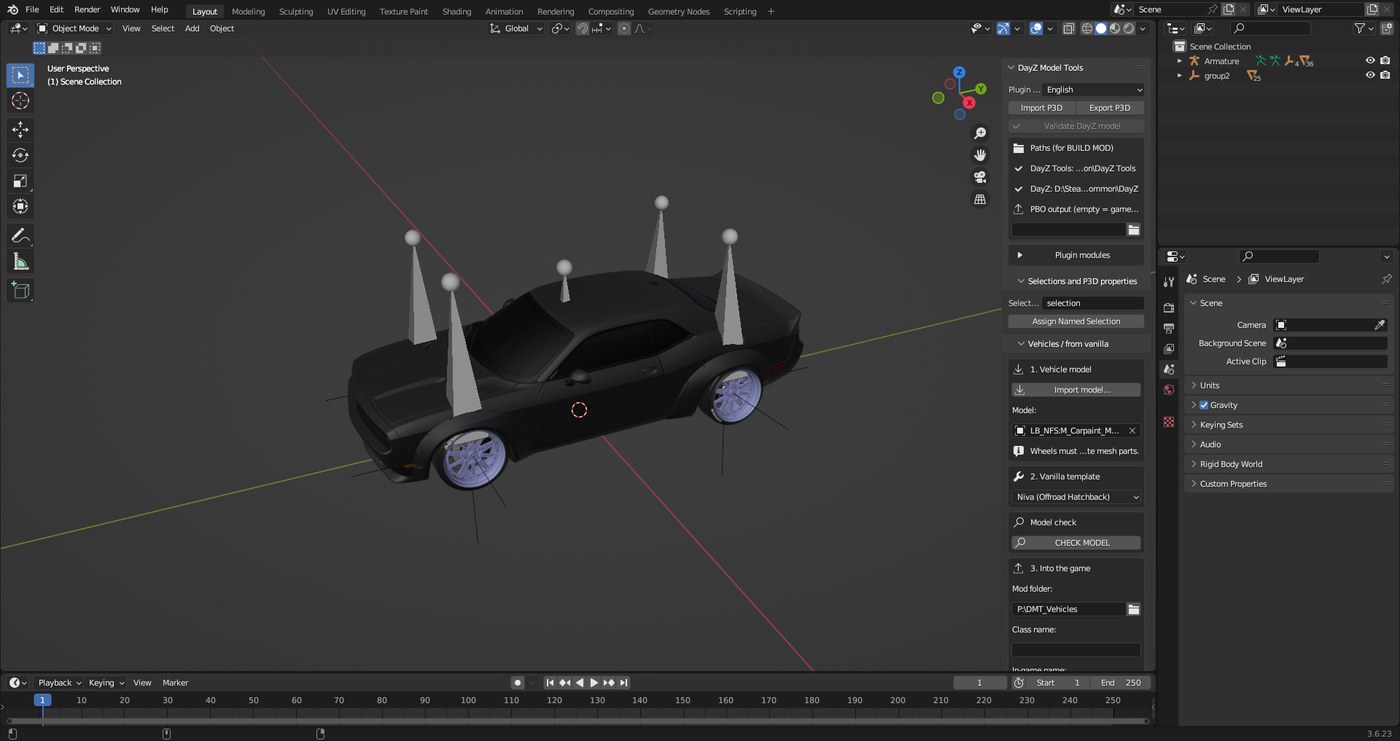
After the import the status bar shows how many parts were loaded, how many textures were found and how far the model was moved.
Model check
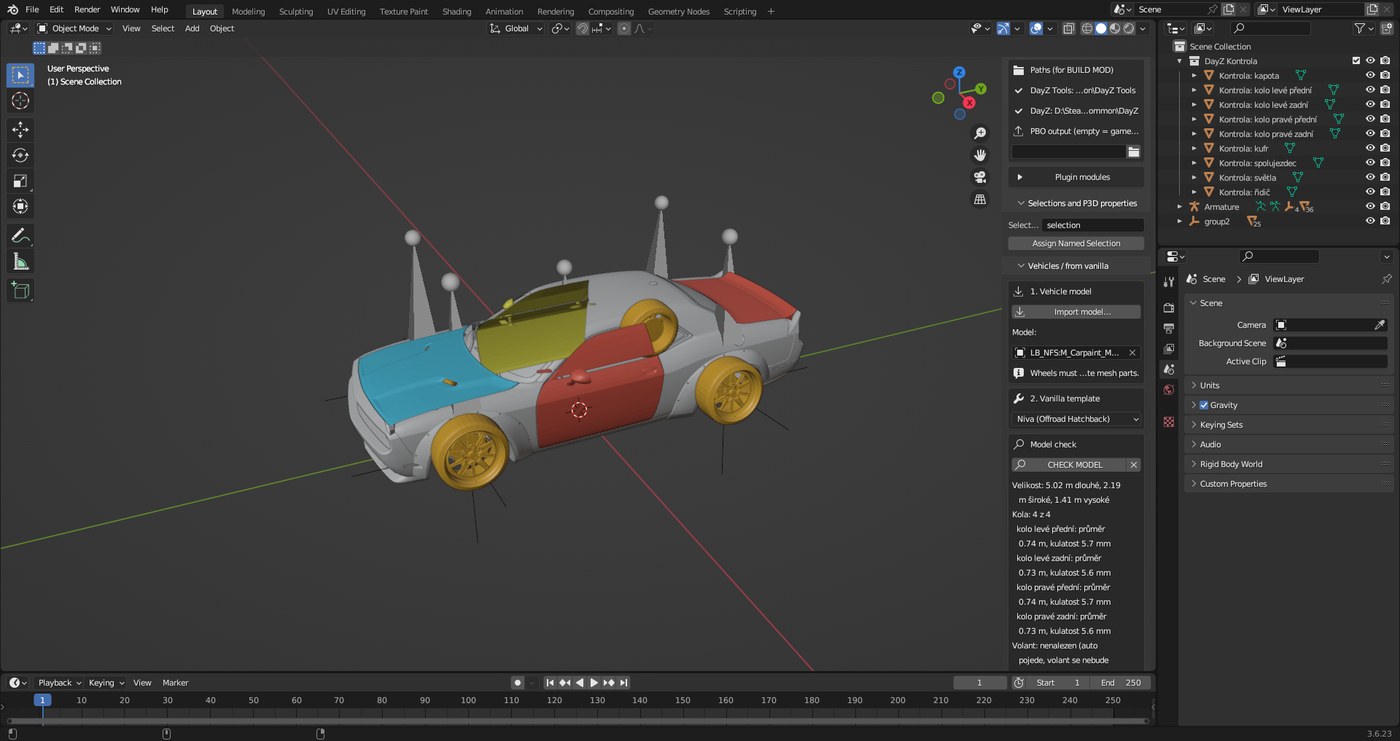
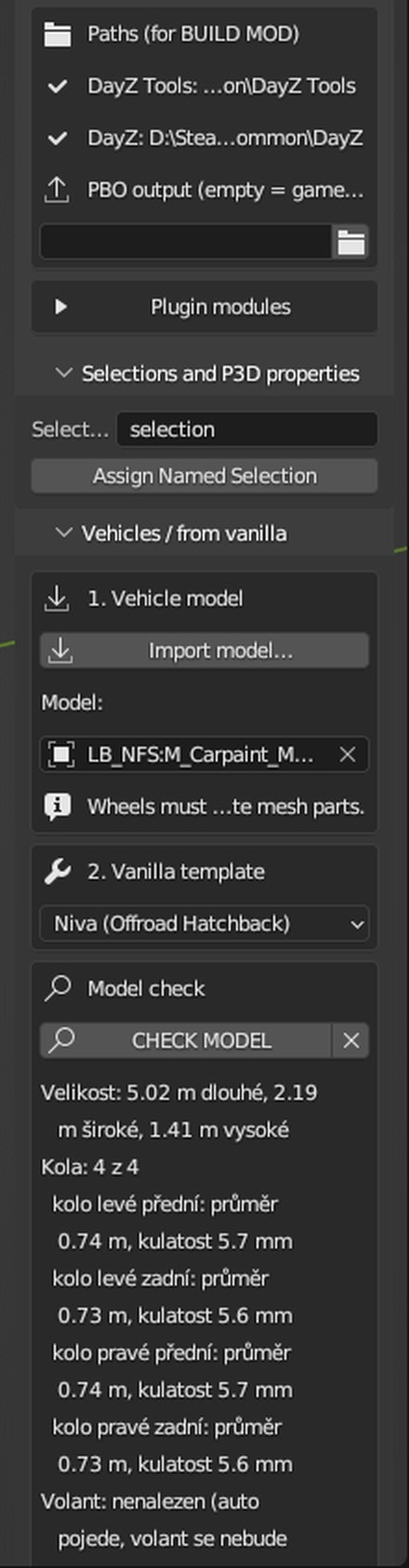
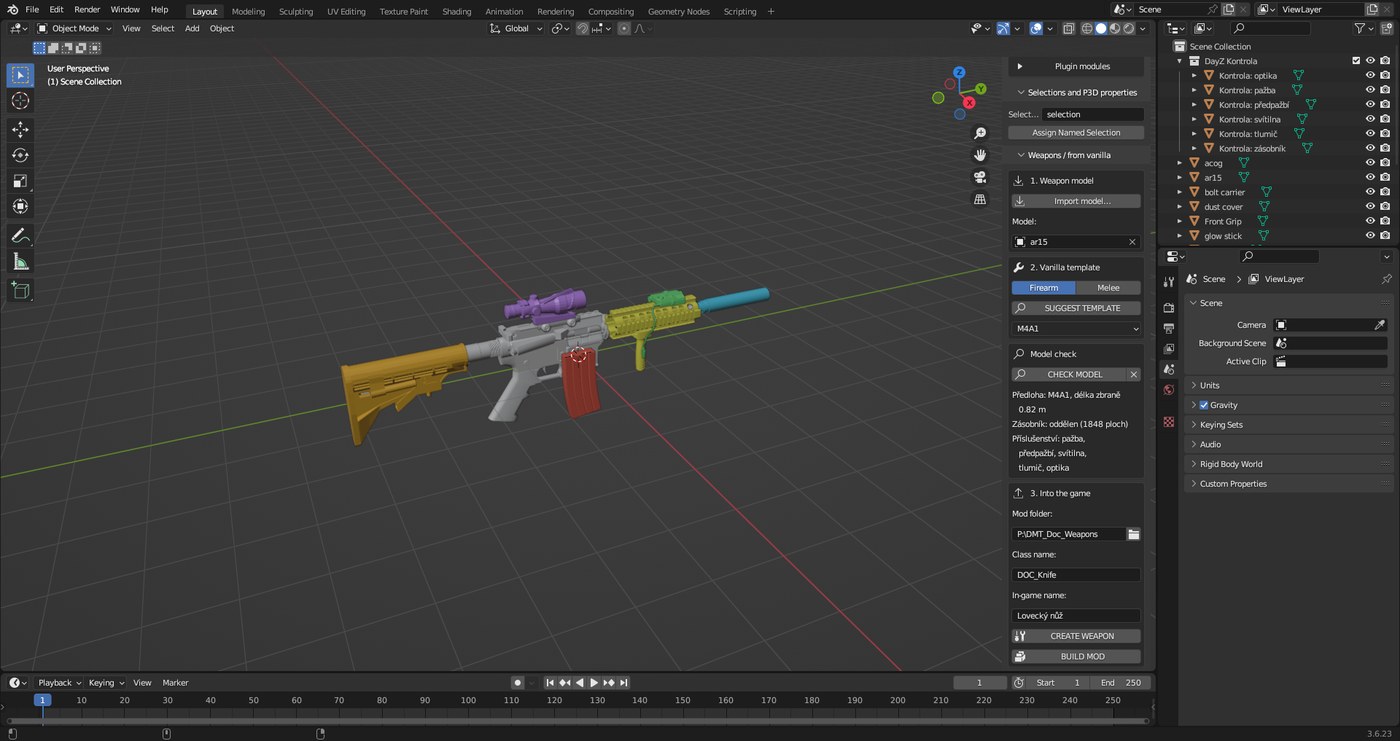
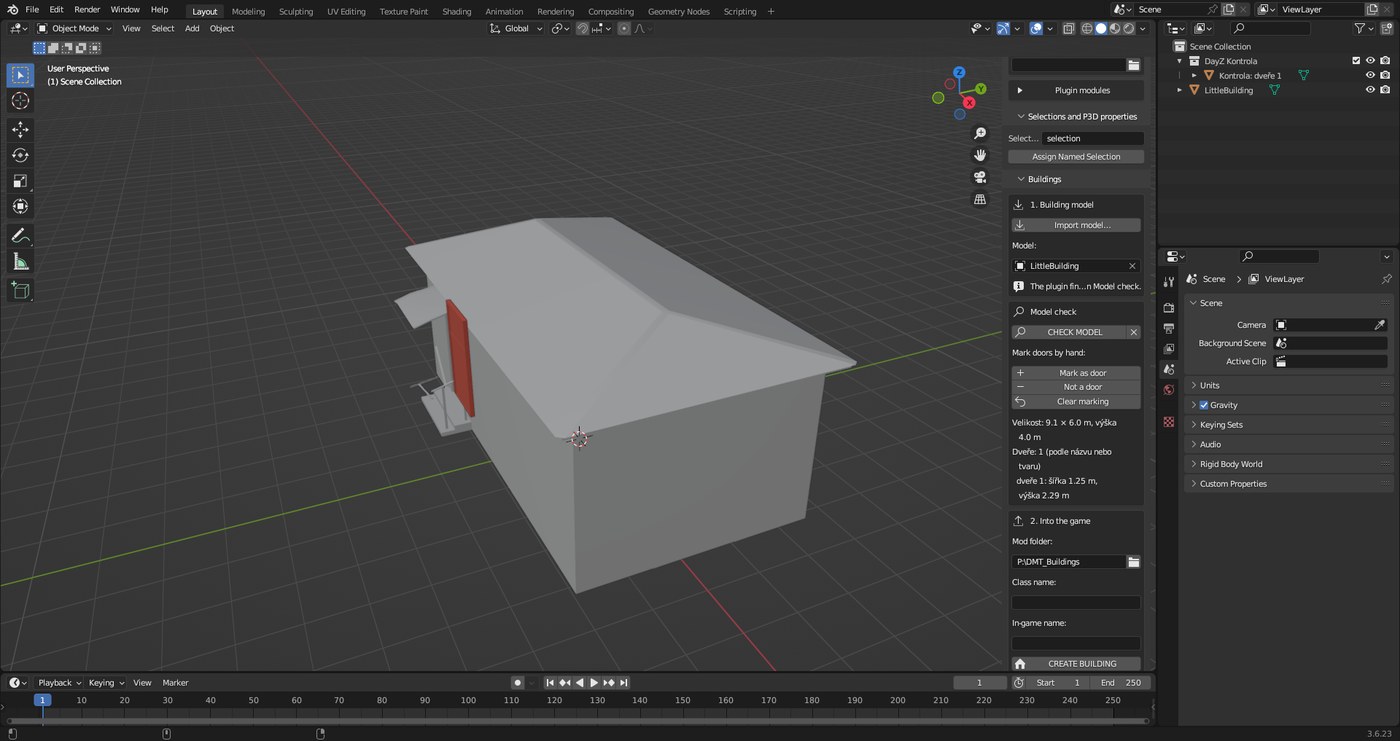
The CHECK MODEL button is in the Weapons, Vehicles and Buildings panels below the template choice. It creates nothing – it only shows what the plugin found and highlights the found parts in colour right on the model. The cross next to the button deletes the preview.
| Type | What the check shows |
|---|---|
| Building | size, how many buildings are in the file, doors with their size, glass, warnings about units and size |
| Vehicle | 4 wheels with diameter and roundness, steering wheel, seats, lights, doors, hood, trunk |
| Weapon | template, length, magazine, attachments (suppressor, optic, stock, handguard, flashlight) |
Marking building doors by hand
1
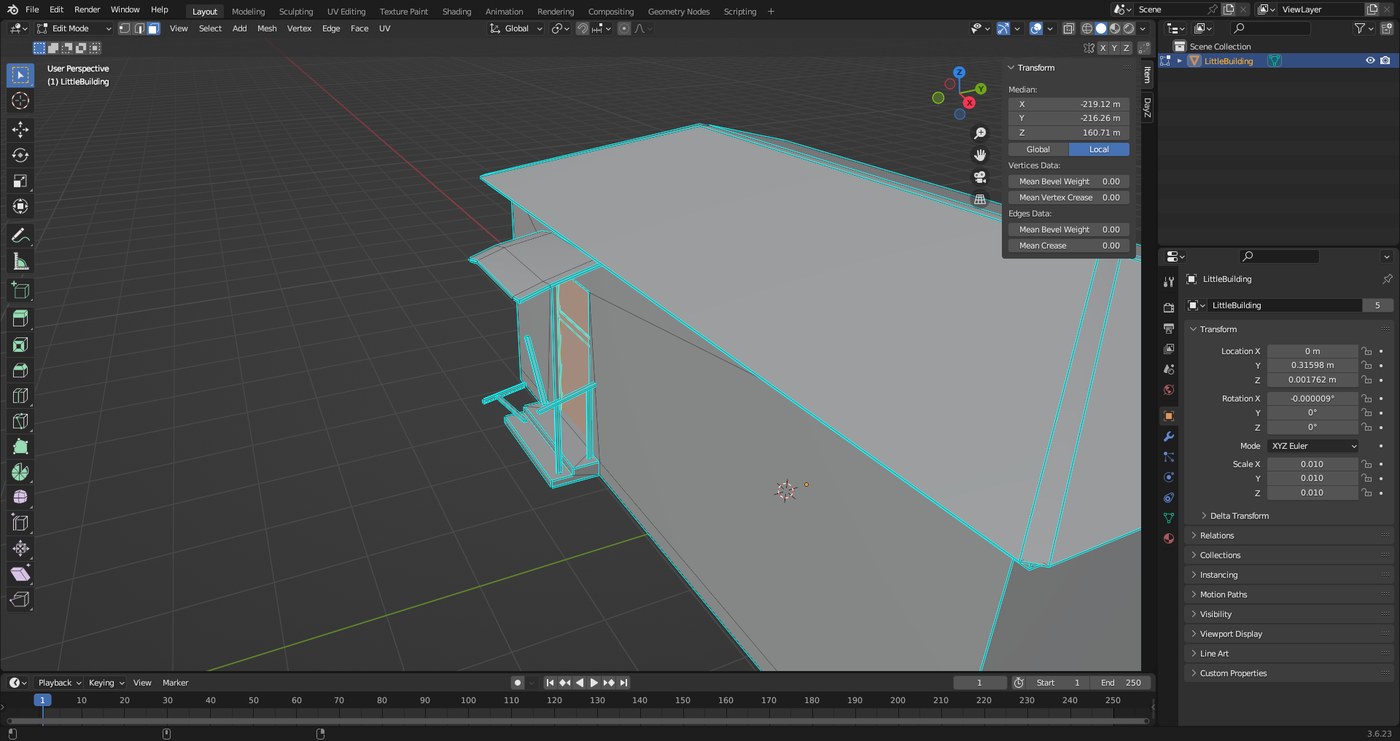
If the plugin misses a door or takes something extra, select it yourself: the whole object in Object Mode, or only the door faces in Edit Mode (Tab, face select 3).
2
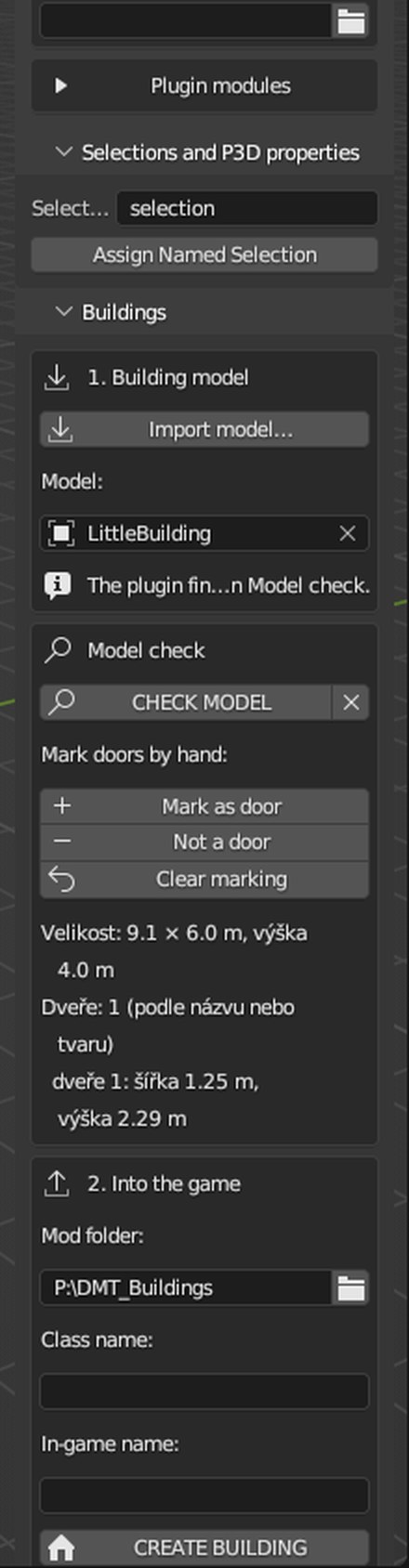
In the Model check box click Mark as door. Mark a part that is not a door (a cupboard door, for example) with Not a door. Clear marking gives the decision back to the plugin.
3
Click CHECK MODEL again and then CREATE BUILDING. The plugin turns the marked faces into door leaves with hinge, animation, collision and Memory points.
When any door is marked by hand, no others are searched for. The check warns you when a marked door is not an upright panel or covers almost the whole building (you marked everything by mistake).
Clothing: whole model
Downloaded a whole soldier? The plugin splits him into items, fits each one to the DayZ character and builds the mod.
1
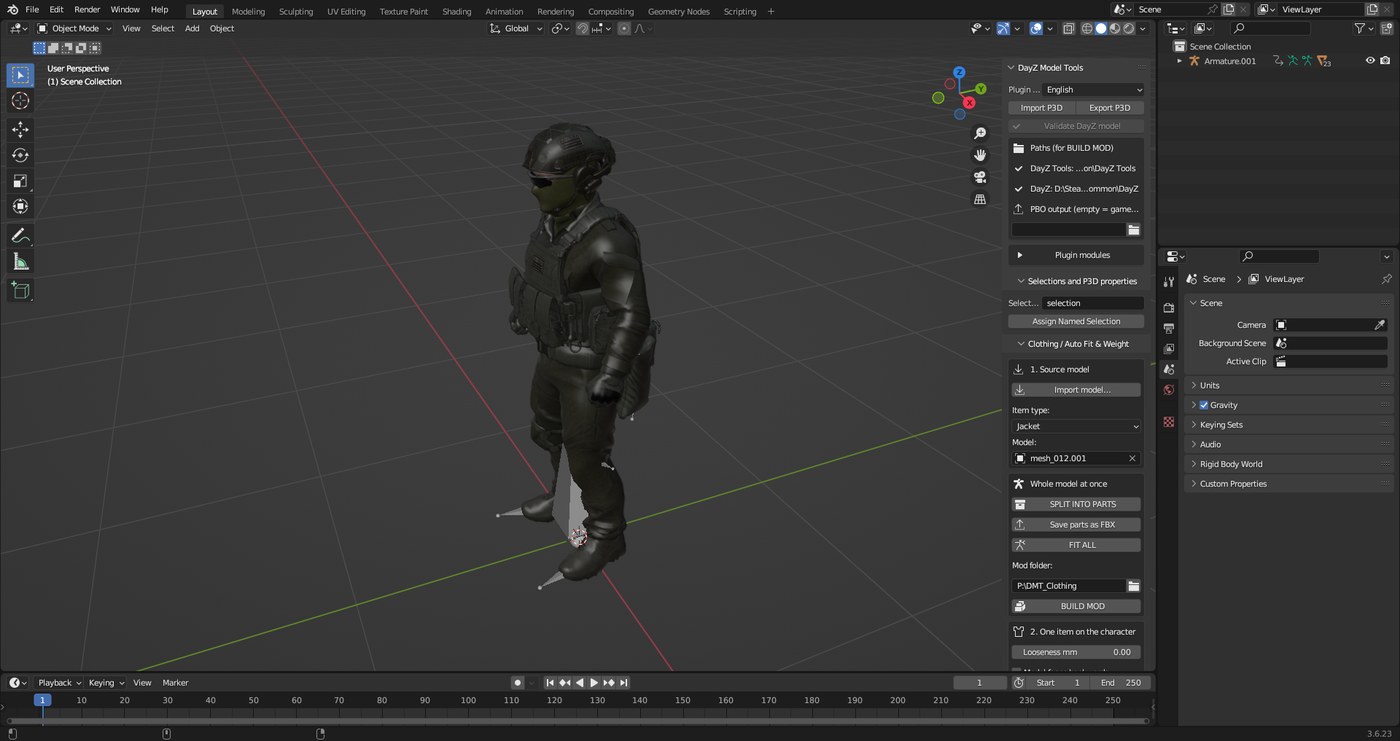
In 1. Source model click Import model… and pick the file (FBX, OBJ, glTF or XNALara .mesh.ascii). Keep the textures in the folder next to the model.
2
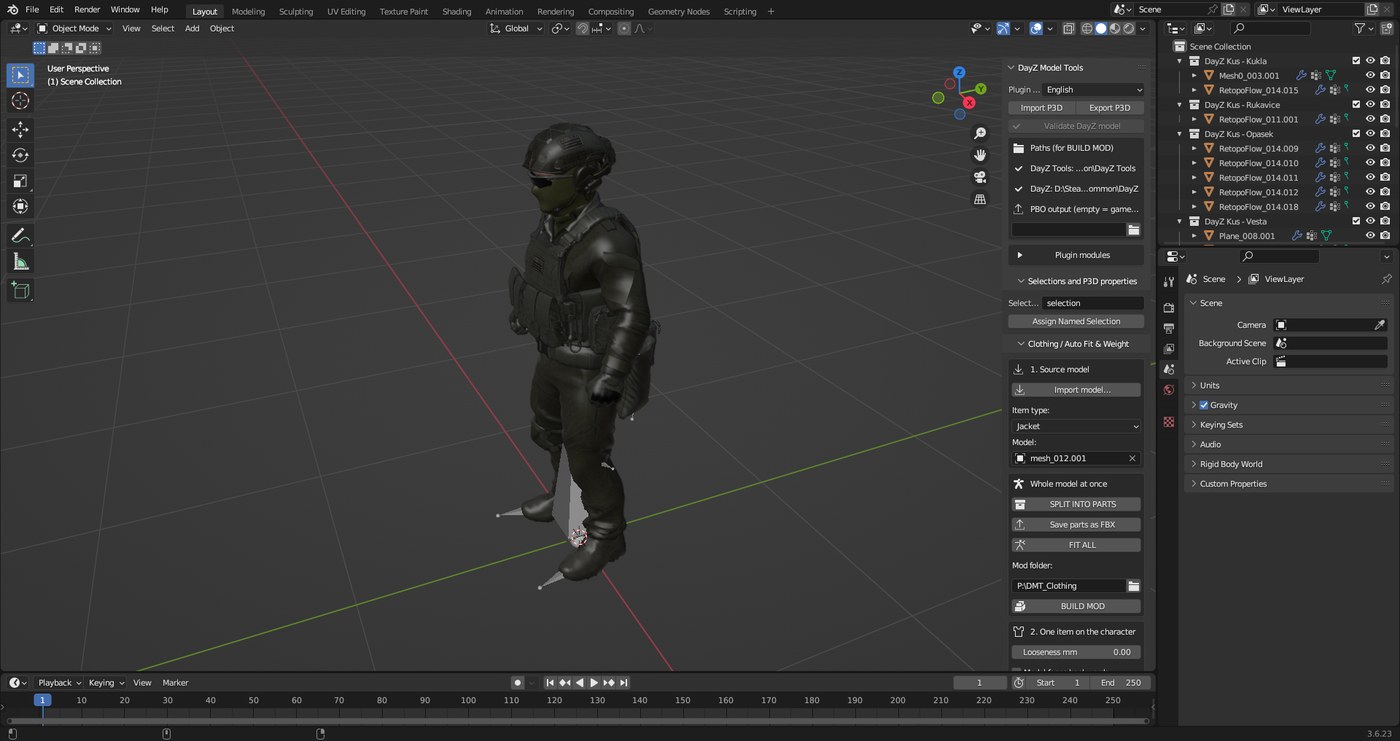
In Whole model at once click SPLIT INTO PARTS. The Outliner (top right) gets collections DayZ Kus – Bunda, Kalhoty… (jacket, pants…). Drag a part in the wrong collection into the right one.
3
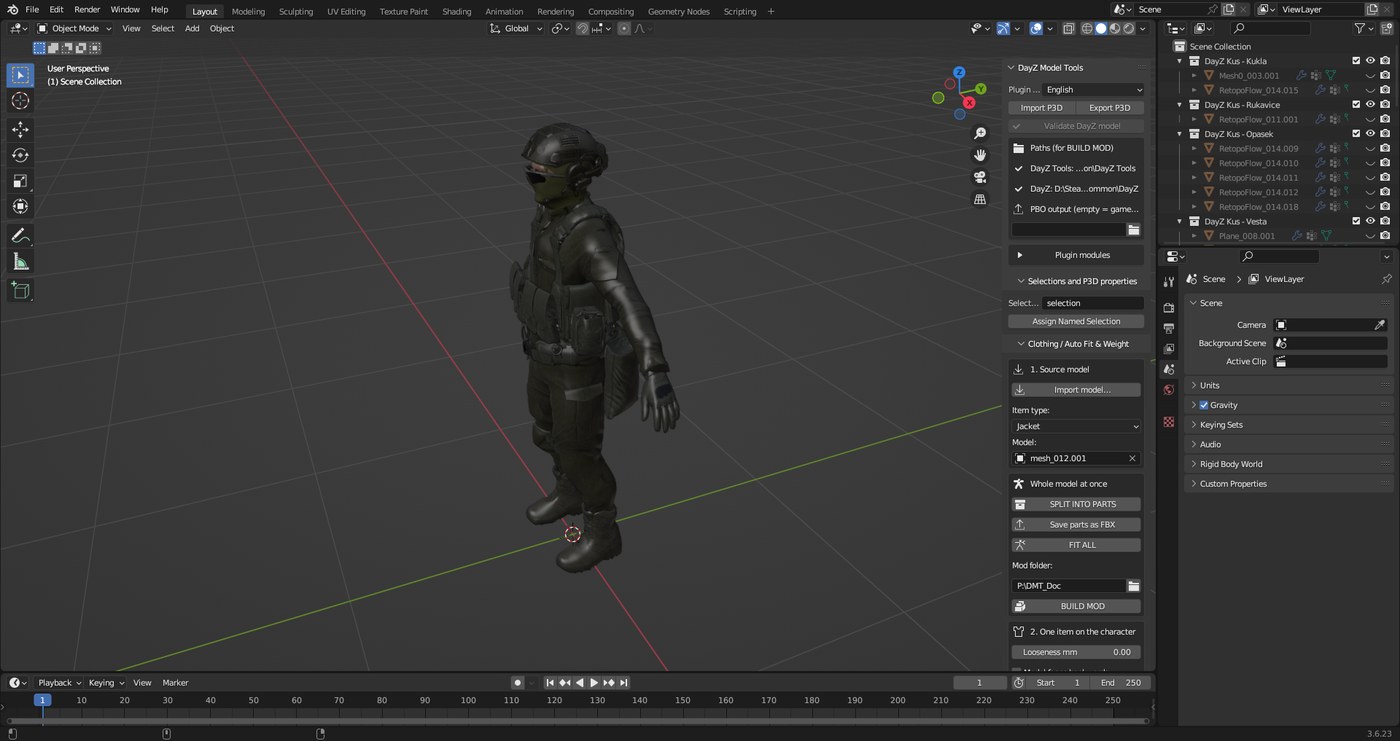
Click FIT ALL. It takes a few minutes and Blender does not respond meanwhile – that is normal.
4
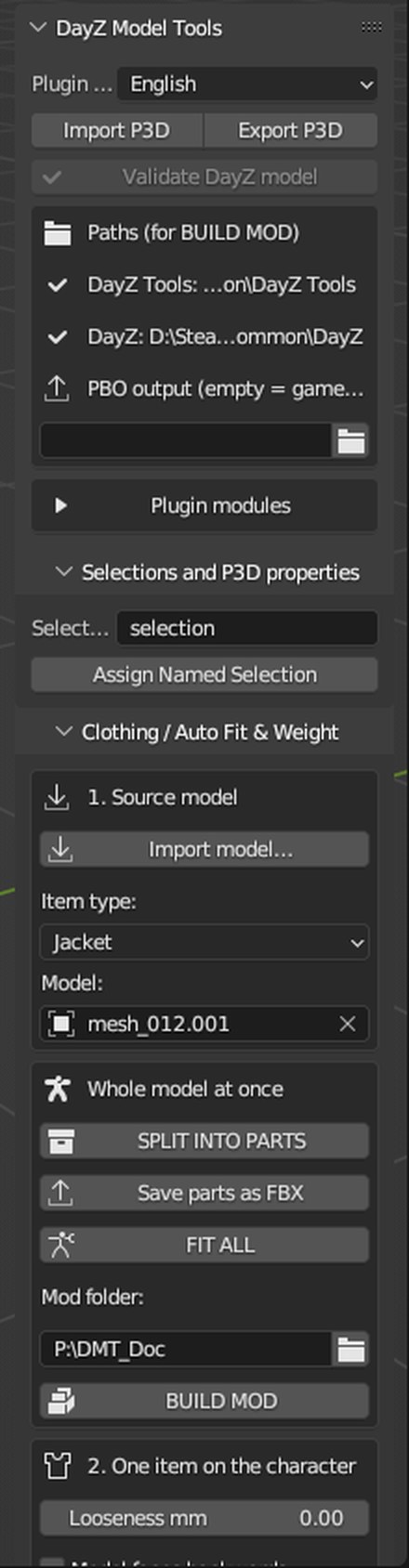
Type a folder on drive P: into Mod folder (e.g. P:\MyMod) and click BUILD MOD. The finished mod @MyMod is written into the DayZ folder.
Clothing: one item
Gloves, boots, a helmet or just a jacket on its own.
1
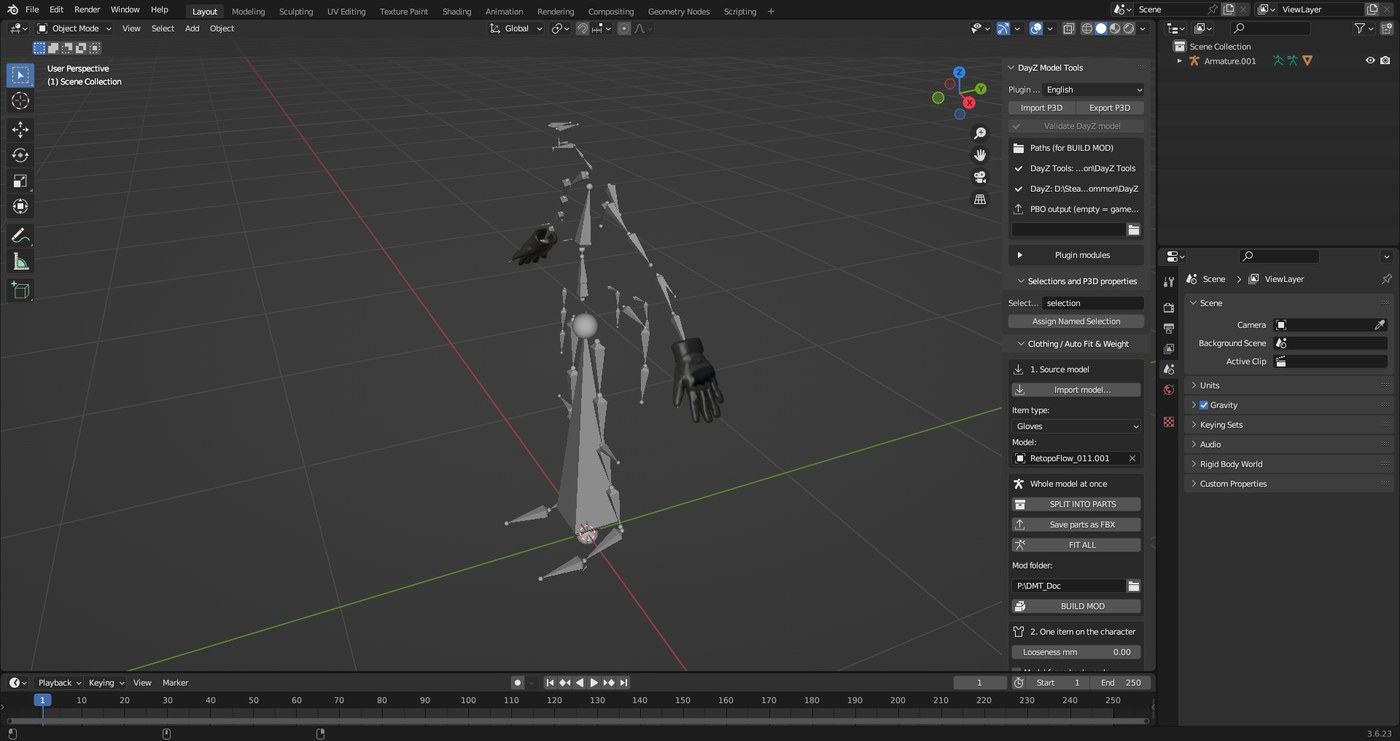
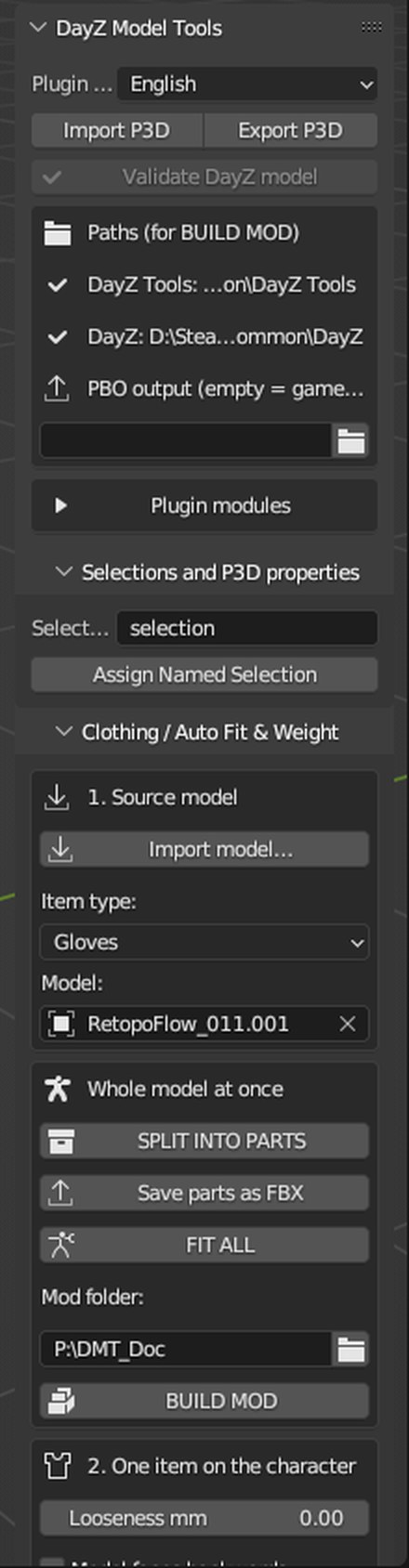
Click Import model… and choose what it is in Item type (Gloves, Boots, Helmet…).
2
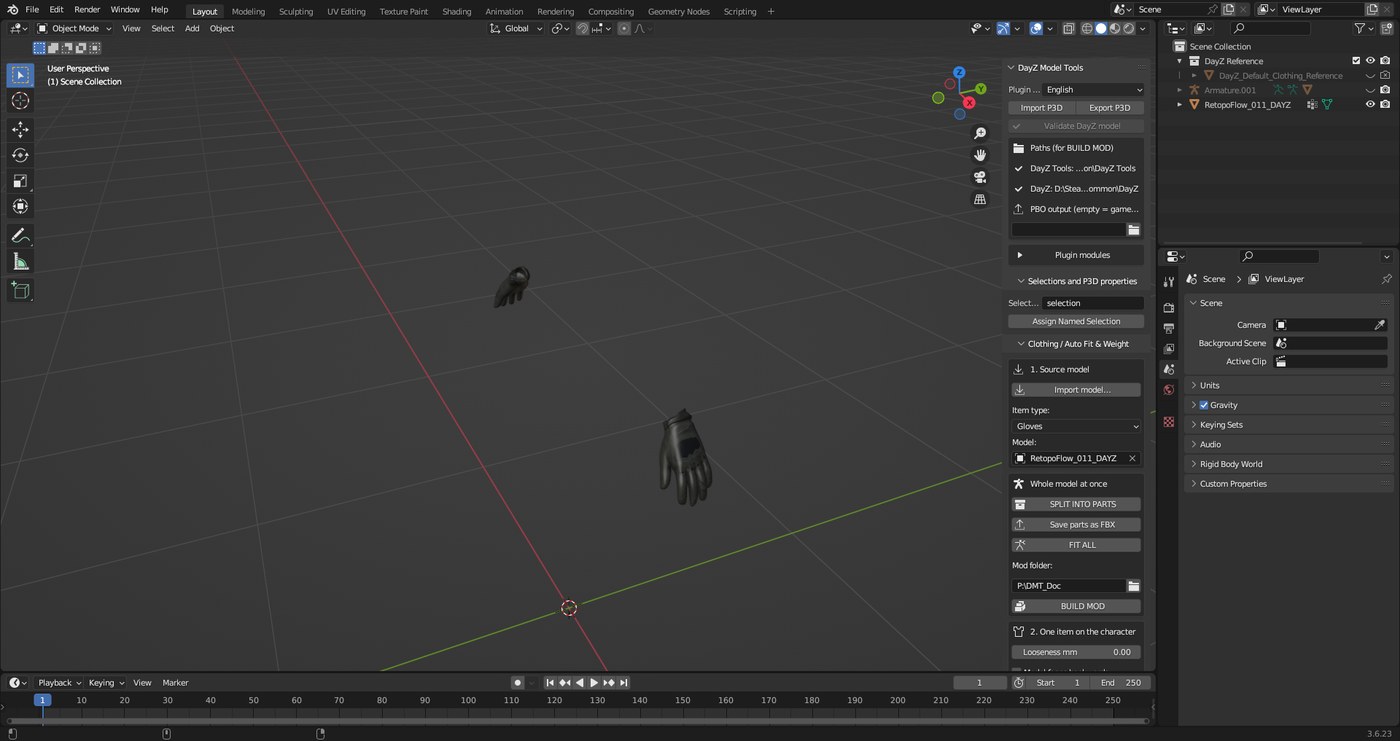
In 2. One item on the character click FIT + WEIGHTS. For gloves the plugin finds the fingers, boots go over the trouser leg, a helmet sits by the skull.
3
In 3. Into the game fill in the mod folder, class name and in-game name and click BUILD MOD.
Looseness mm – 0 = tight to the body, 10 = looser. Model faces backwards – tick it when the model faces away.
Firearms
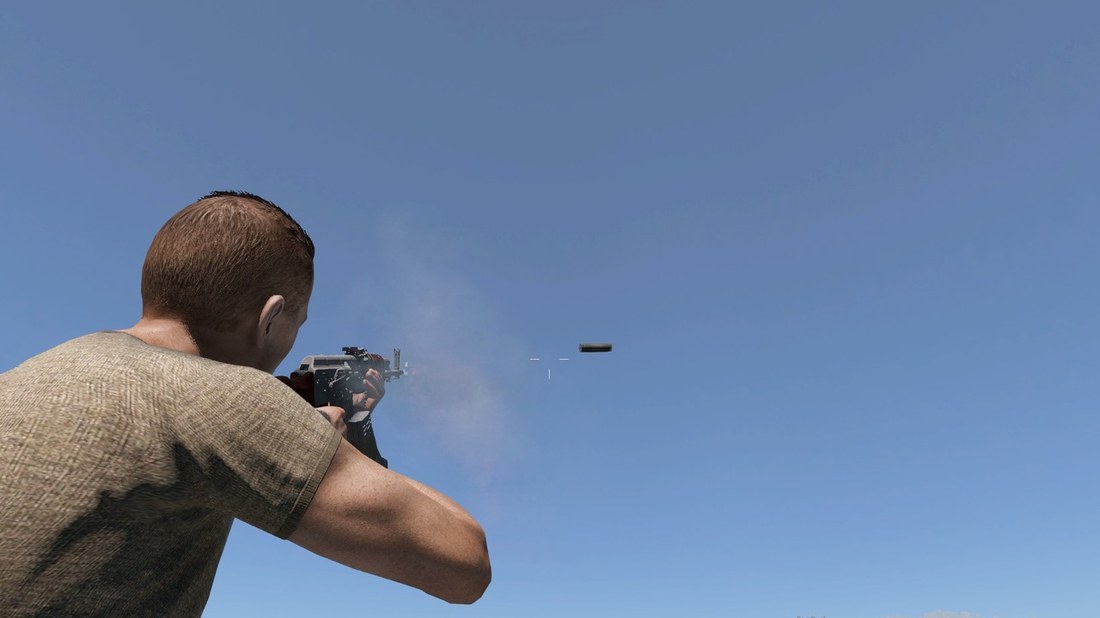
A downloaded rifle or pistol is aligned to a vanilla weapon of the same type, so the character holds, aims, fires and reloads it like vanilla.
1
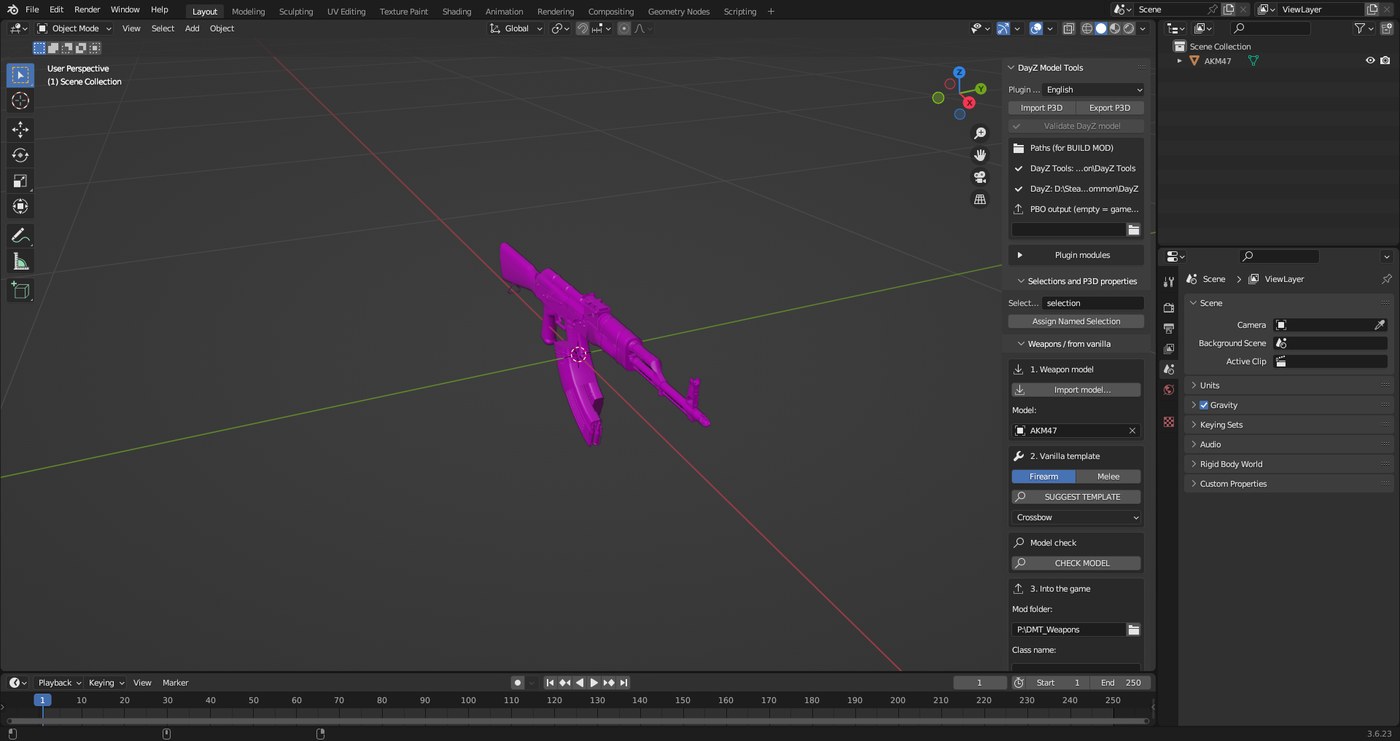
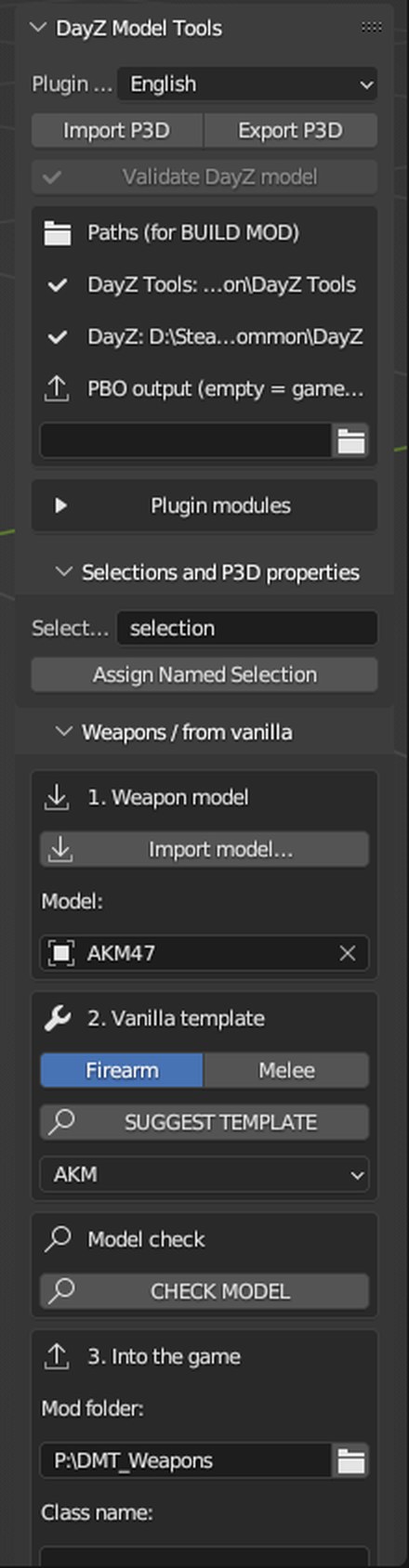
In the Weapons / from vanilla panel click Import model…. Leave the kind on Firearm.
2
Click SUGGEST TEMPLATE. The plugin picks a vanilla weapon by name and shape (here AKM). You can change it in the list below the button.
3
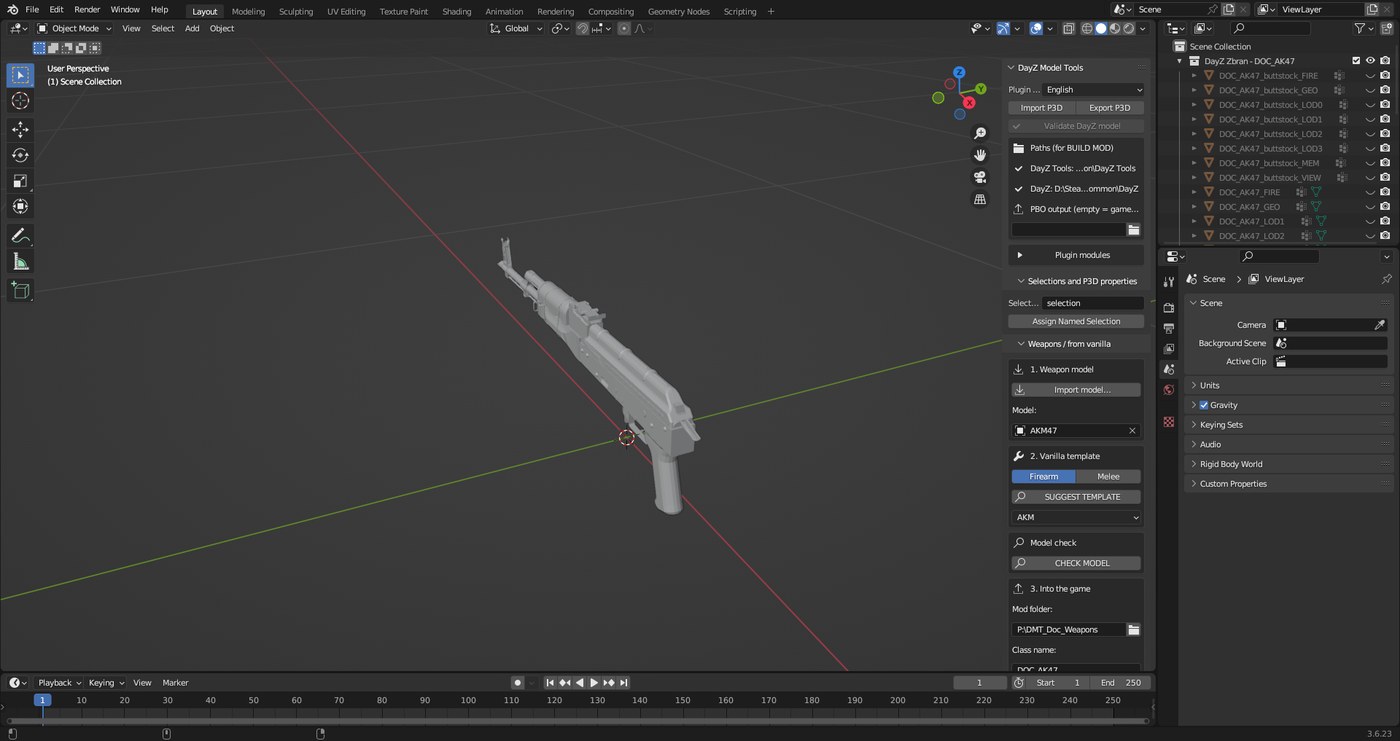
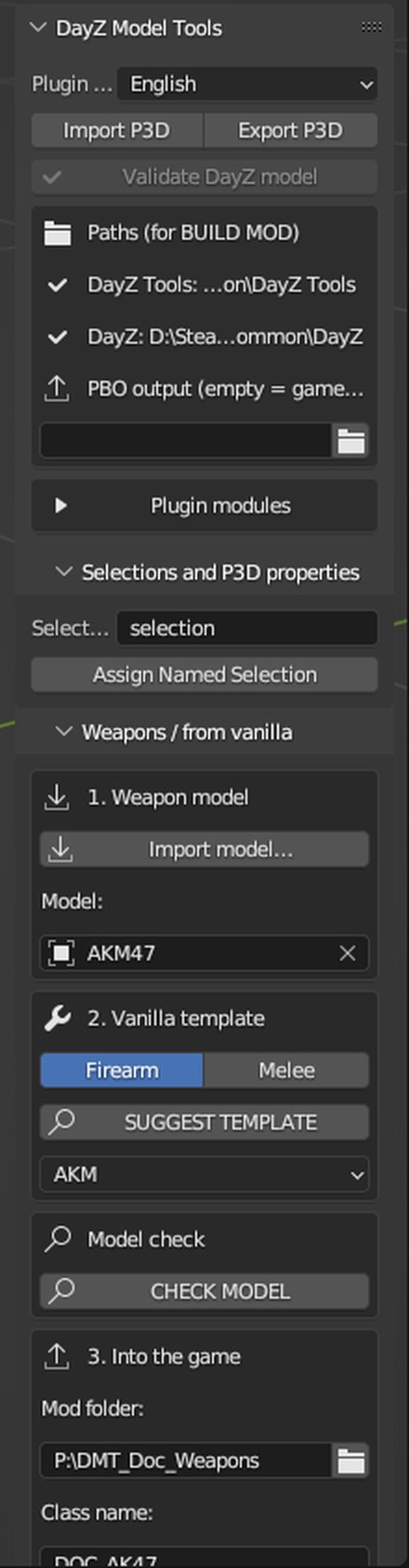
Fill in the mod folder and names and click CREATE WEAPON. The plugin orients the weapon, seats the magazine in the magwell, finds the trigger, bolt and selector and creates LODs, Memory points, attachment points, its own magazine and the config.
4
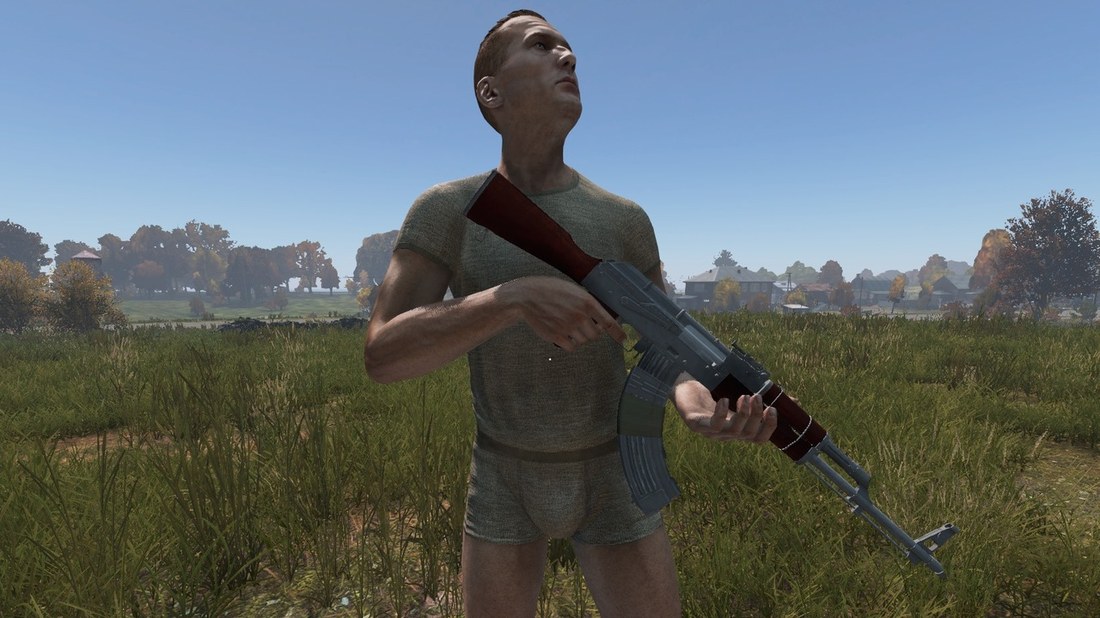
Click BUILD MOD.
Assembled weapons and attachments
A downloaded weapon often comes assembled with a suppressor, optic or flashlight. The plugin splits it into items for the DayZ slots by itself: suppressor, optic, stock, handguard (with grip), flashlight and magazine. Parts are recognised by object name (suppressor, acog, scope, stock, handguard, grip, flashlight…) or by position. Each part inherits from a vanilla part, so it can be attached, removed and works like vanilla. Only the magazine counts as the magazine – the magwell and the top of the chamber stay on the weapon. See what will be split off beforehand in the Model check.
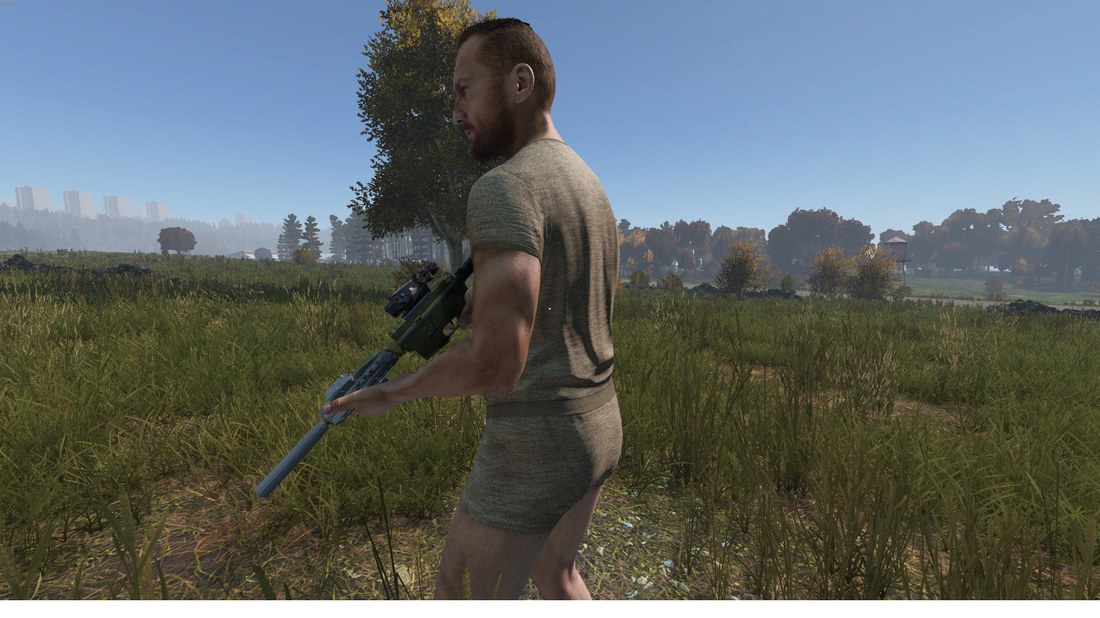
Knives and melee
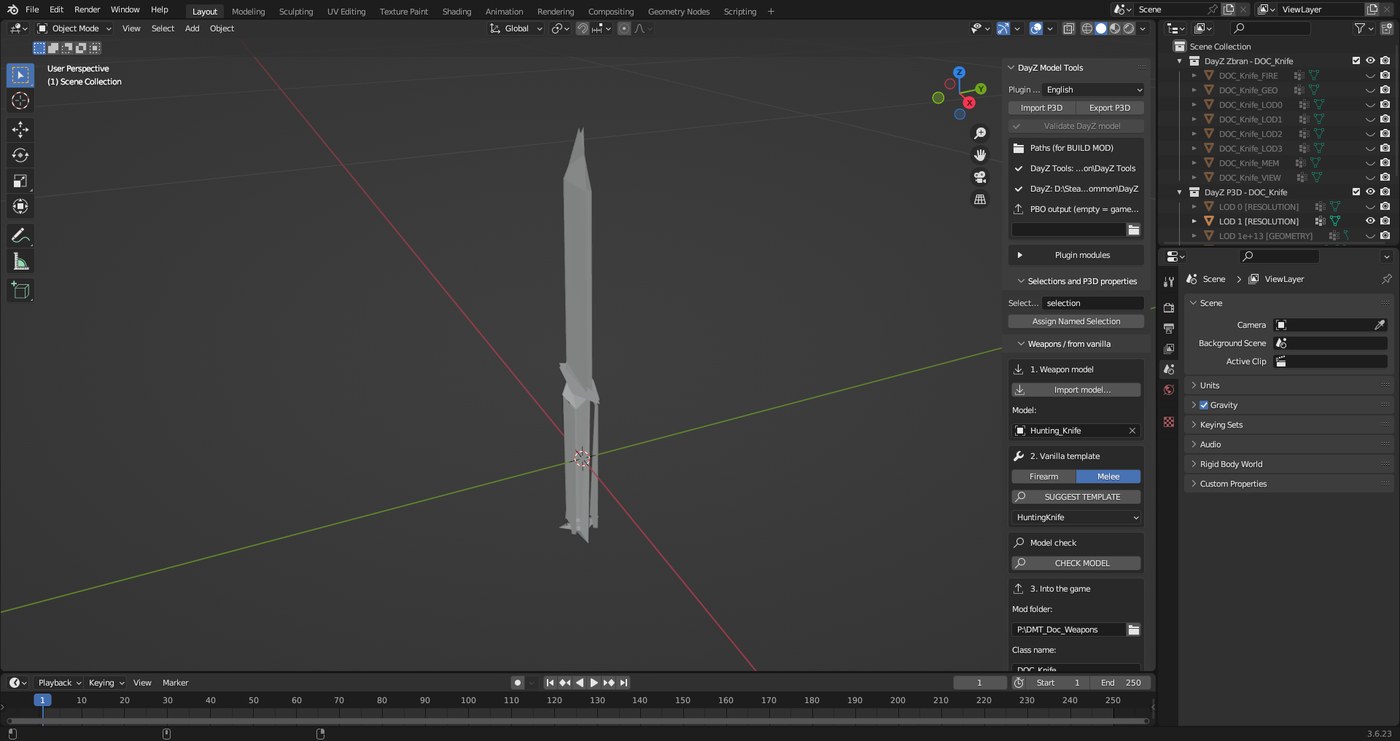
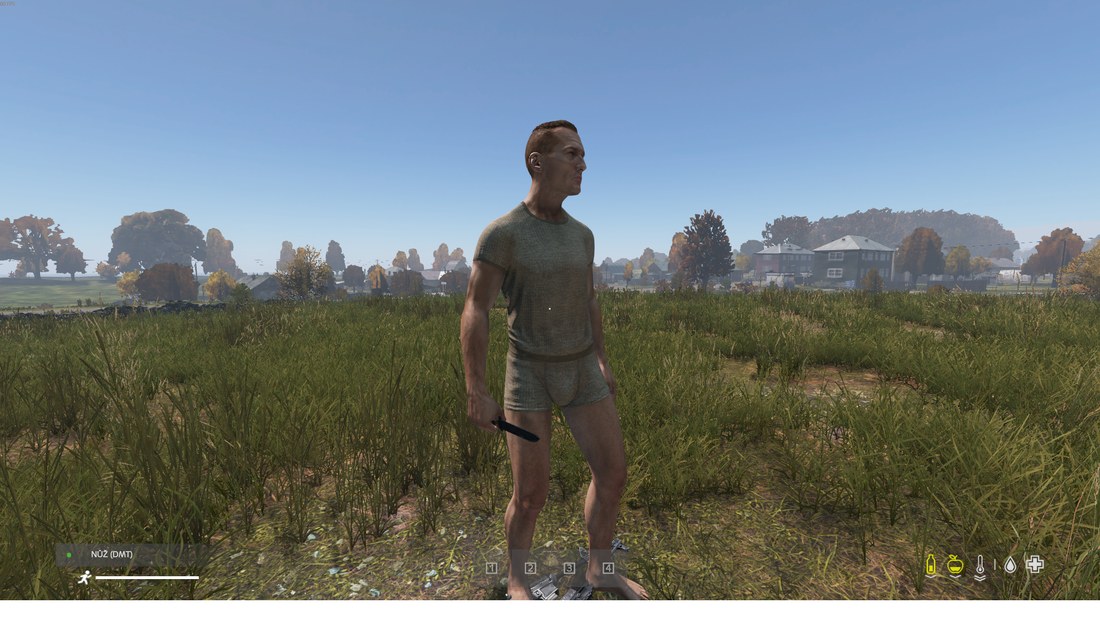
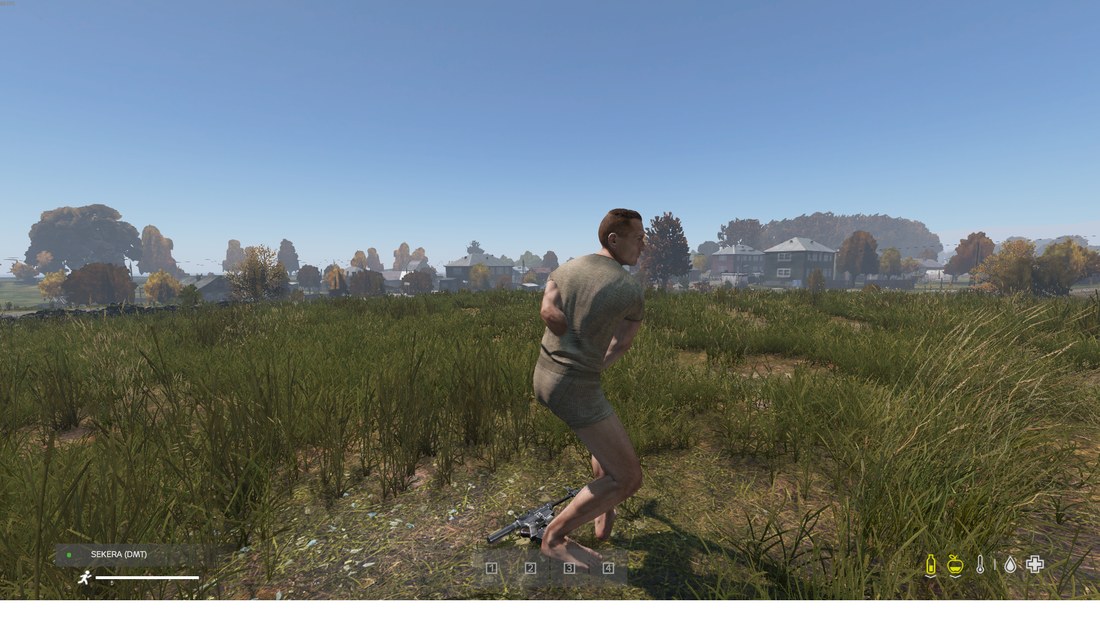
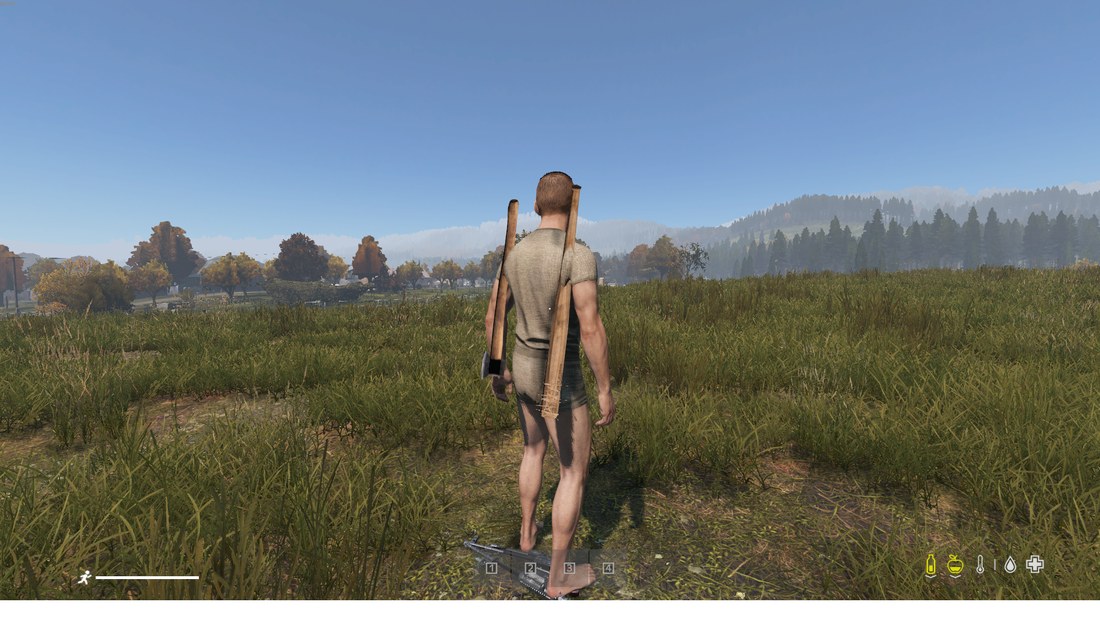
The plugin turns and moves the model so its shape matches the vanilla template: handle in the palm, edge on the right side. Holding and swings then work like vanilla.
1
Click Import model… and switch the kind to Melee. The model may lie in any position and be in centimetres.
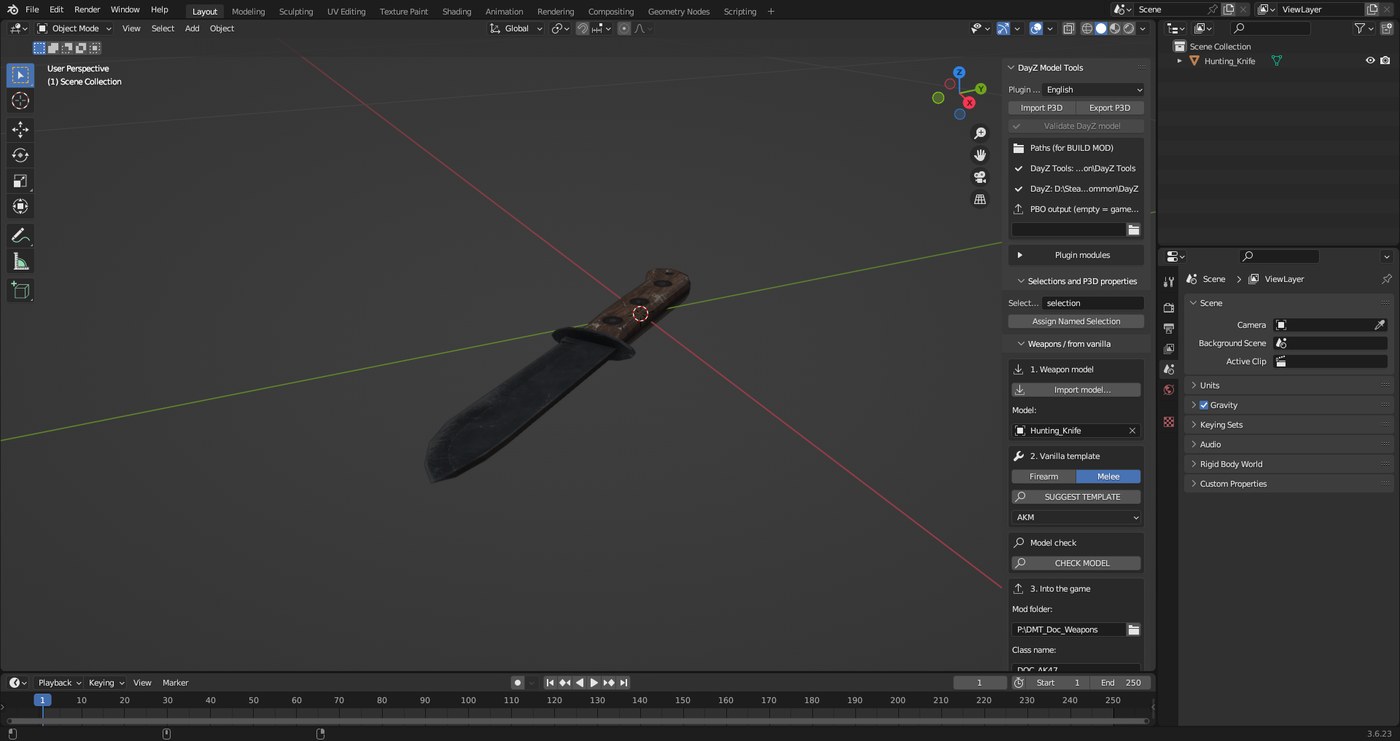
2
Click SUGGEST TEMPLATE, fill in the names, click CREATE WEAPON and then BUILD MOD.
Vehicles
A downloaded car is built from a vanilla template – it drives, steers and has an engine, sounds and crew like vanilla.
What the model needs
- Wheels as separate parts – every wheel on its own, not merged with the body.
- Doors, hood and trunk open when they are separate parts (found by name or shape).
- Units, rotation and position don't matter – the plugin fixes them.
1
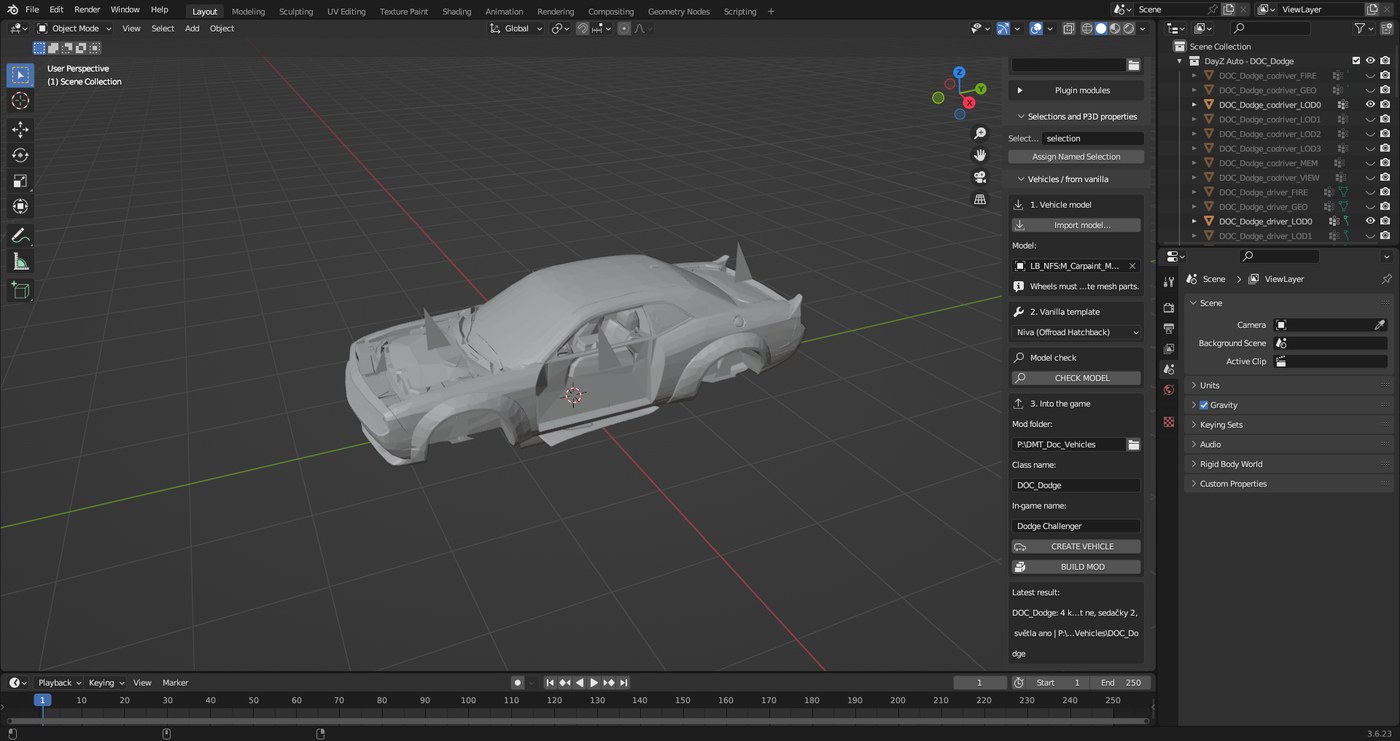
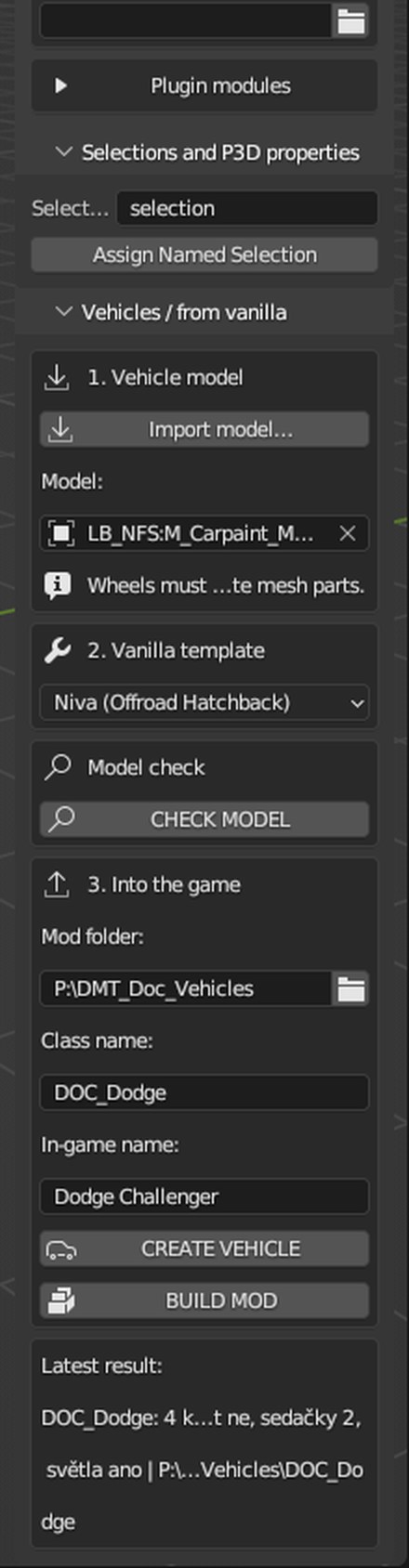
In the Vehicles / from vanilla panel click Import model… and under Vanilla template choose Niva (2 seats) or Olga 24 (4 seats, 4 doors).
2
Click CHECK MODEL. Wheels, doors, hood, trunk and lights are highlighted in colour and the panel lists what the plugin found.
3
Fill in the mod folder and names and click CREATE VEHICLE. The plugin creates the body with LODs, the wheel as a separate part, doors, hood and trunk, collision, Memory, model.cfg, config and the vehicle script.
4
Click BUILD MOD.
In game you can only get in through an open door, repair the engine only with the hood open and reach the cargo only with the trunk open – just like the vanilla Niva.
Buildings
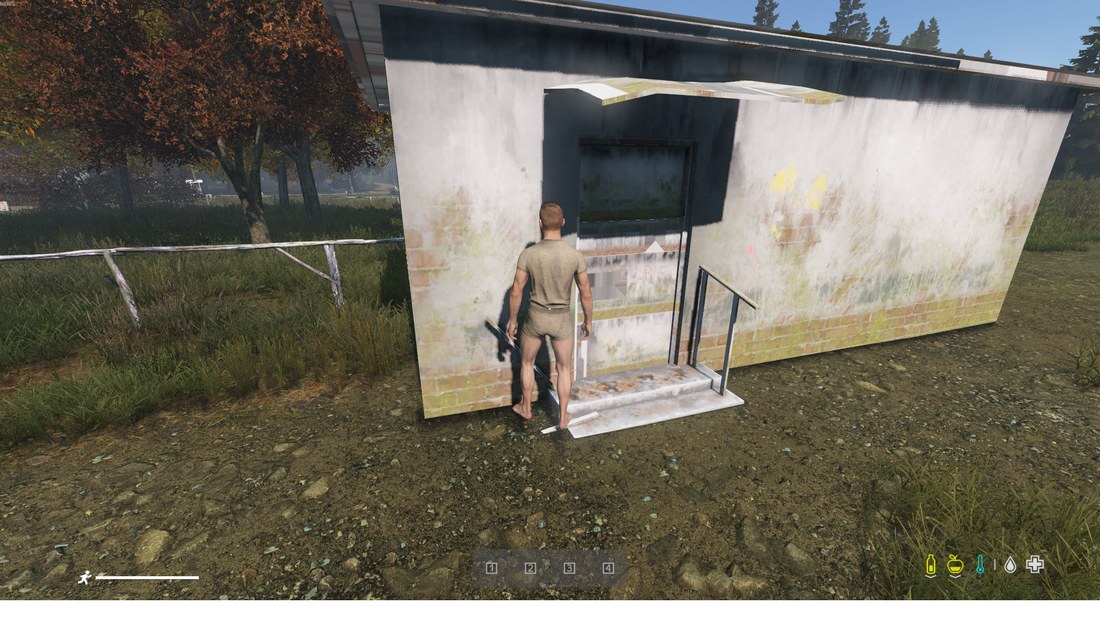
A downloaded building is converted like the vanilla houses: box collision, floors and stairs you can walk on, opening doors and transparent windows.
1
In the Buildings panel click Import model…. The model is placed in the middle on the ground by itself.
2
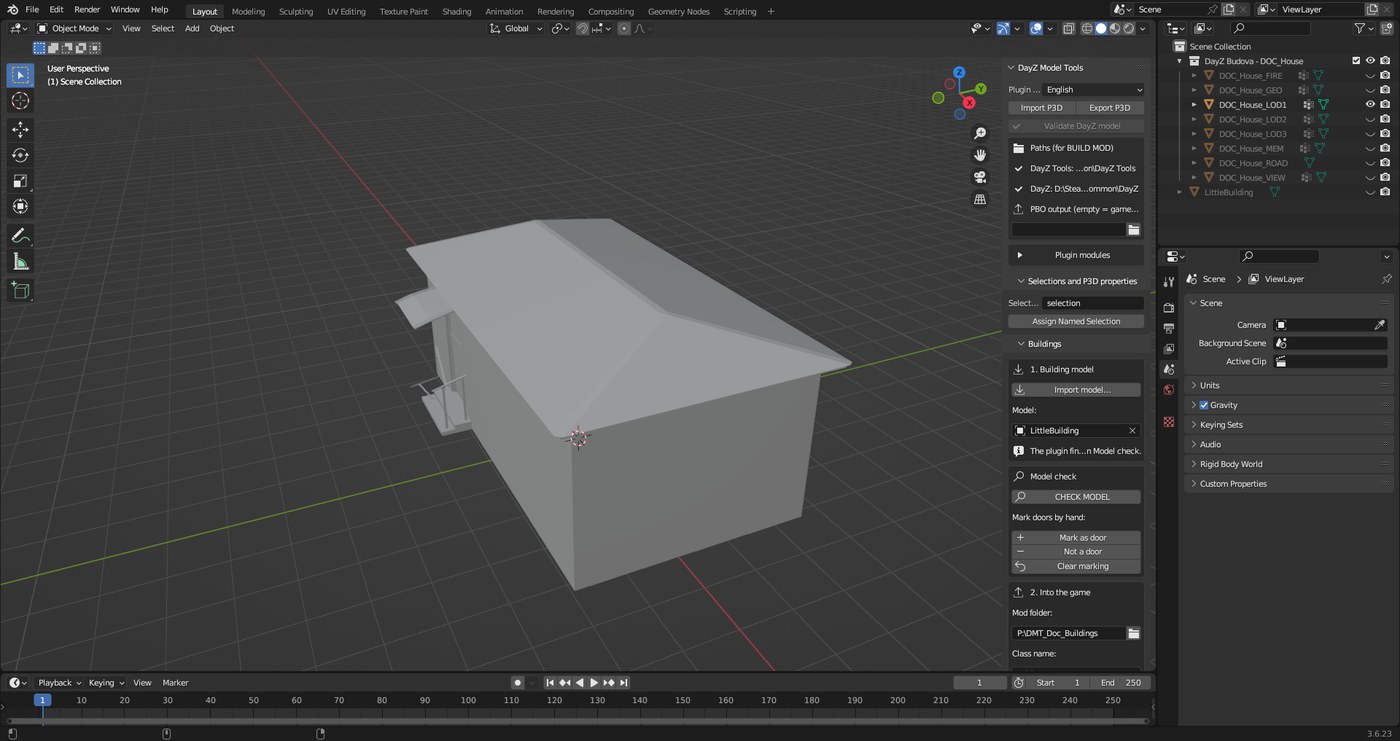
Click CHECK MODEL. Found doors are highlighted in red. If some are missing or extra, mark them by hand.
3
Fill in the mod folder and names and click CREATE BUILDING. The plugin creates LODs, Geometry, View and Fire Geometry, Roadway, door Memory points, model.cfg and config.
4
Click BUILD MOD.
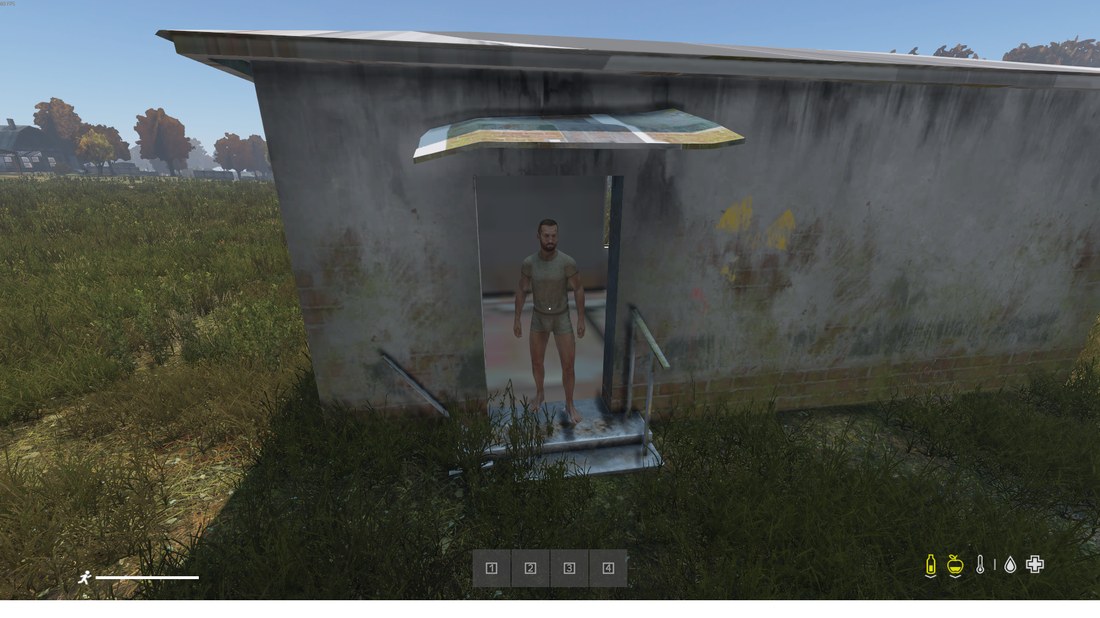
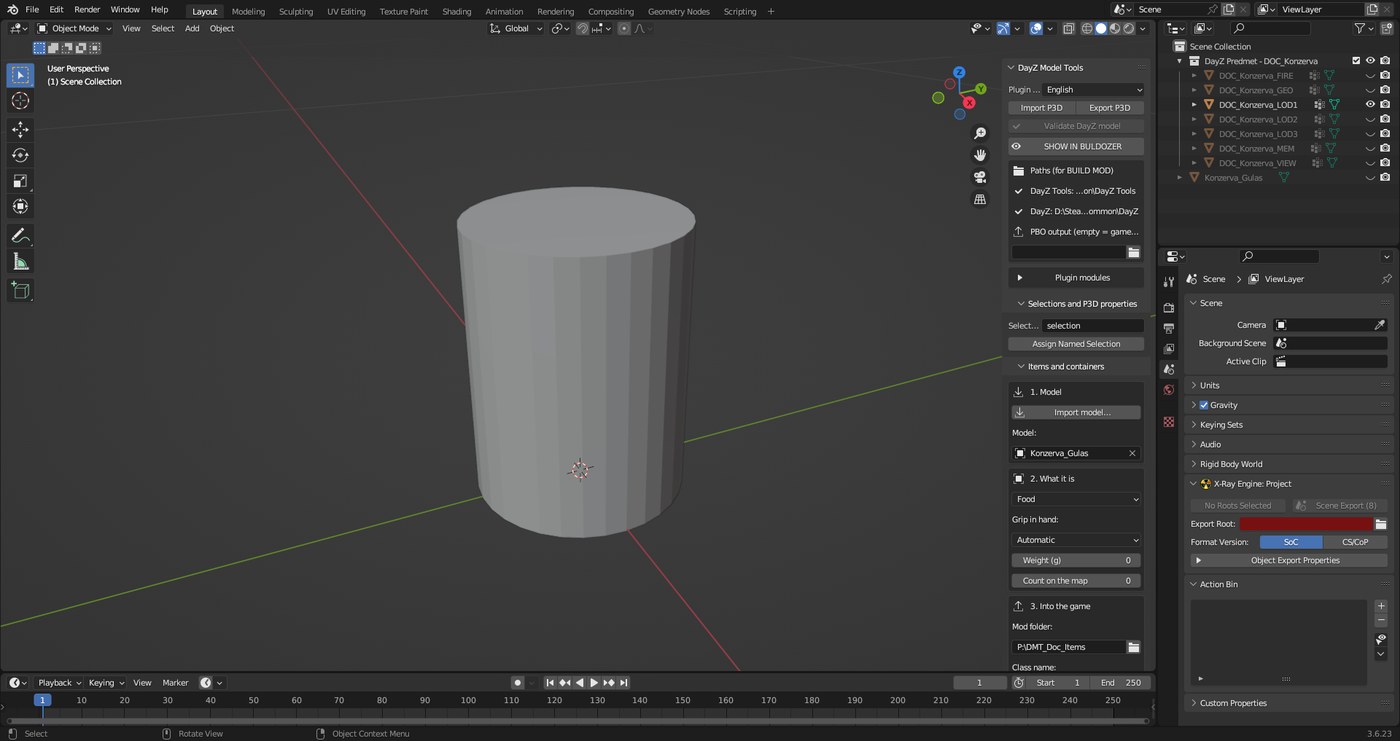
After creating, only LOD1 is visible in Blender. The other LODs, collision and Roadway are in the same place and hidden – turn them on with the eye icon in the Outliner. A house without an interior (only an outside box) won't have floors or rooms inside.
Items and containers
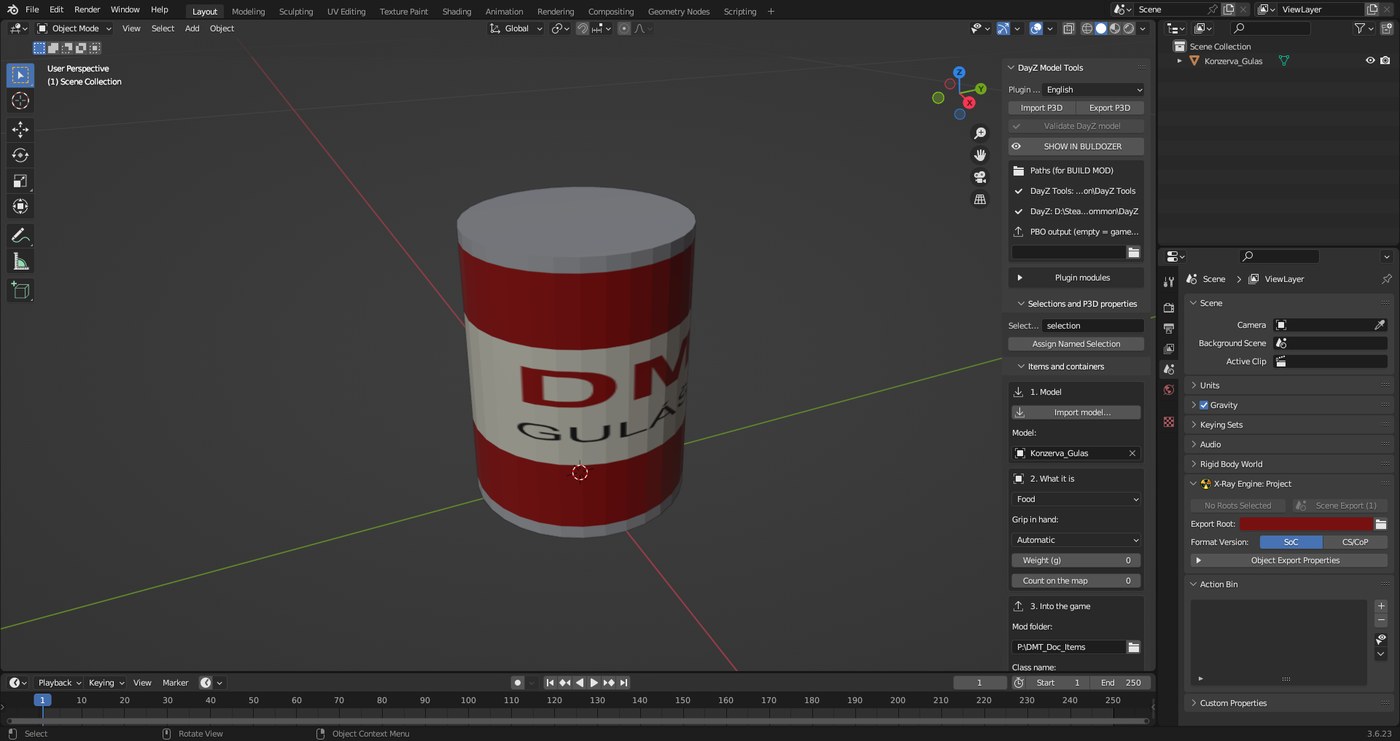
Turns any model, for example from Sketchfab, into an in-game item. The new item inherits a vanilla class, so it is eaten, drunk, used as a bandage, carried and placed just like vanilla.
Item kinds
- Generic item – collectible, key, card, trophy (Inventory_Base).
- Food – eaten like a cereal box (BoxCerealCrunchin).
- Drink – drunk from and filled with water like a bottle (WaterBottle).
- Bandage and Pills – like BandageDressing and PainkillerTablets.
- Case / pouch – carried in the inventory, has space inside (SmallProtectorCase).
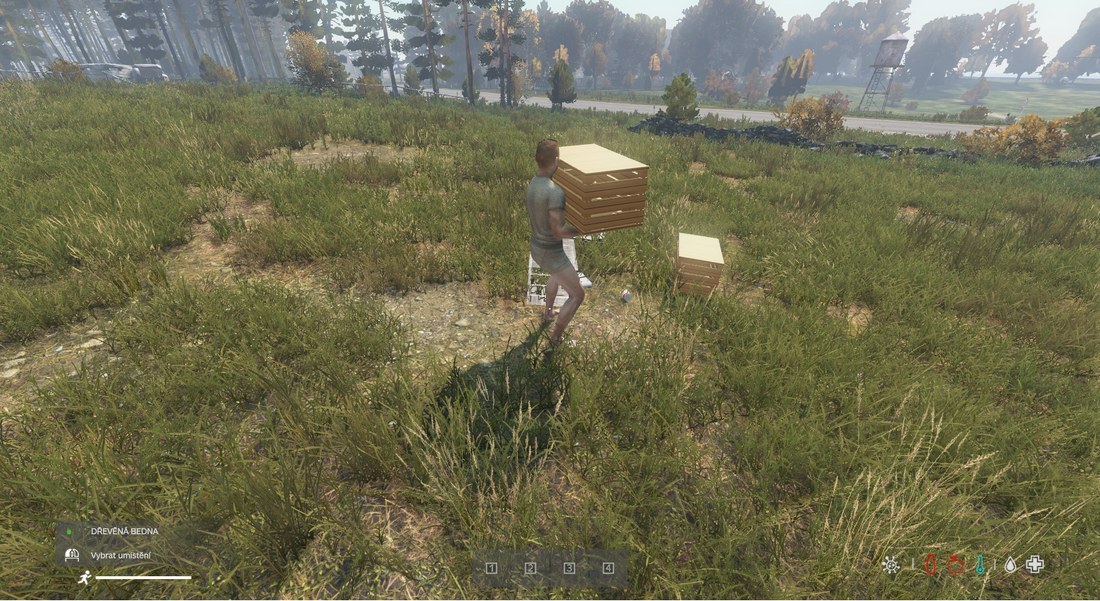
- Crate, Cabinet / chest / shelf, Tent / shelter – placed on the ground with a hologram and have space inside (WoodenCrate, SeaChest). The tent does not pack up.
1
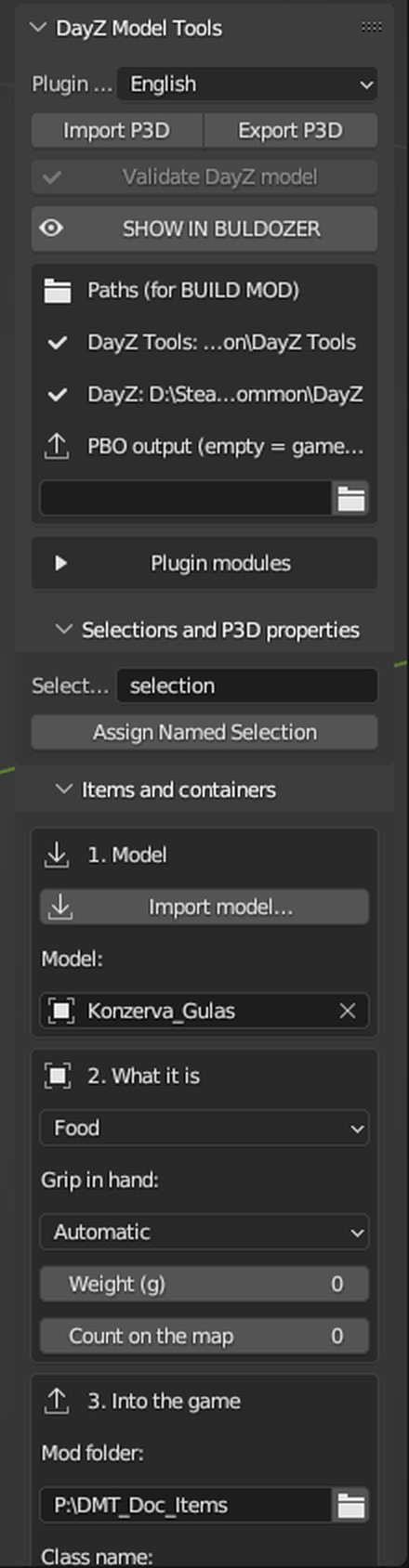
In Plugin modules turn on DayZ Items. In the Items and containers panel click Import model….
2
In step 2. What it is pick the kind. For an item held in hands leave Grip in hand: Automatic. Leave Weight and Count on the map at 0 for vanilla values.
3
Fill in the mod folder, class name, in-game name and description and click CREATE ITEM. The plugin centres the model like vanilla and creates LODs, Geometry, View and Fire Geometry, Memory, PAA textures, model.cfg and config.cpp. The inventory size comes from the dimensions (about 9 cm per slot).
4
Click BUILD MOD. For the server the plugin writes every item into <mod folder>_server\types.xml and prepares a line for cfgeconomycore.xml next to it. That folder is not packed into the PBO.
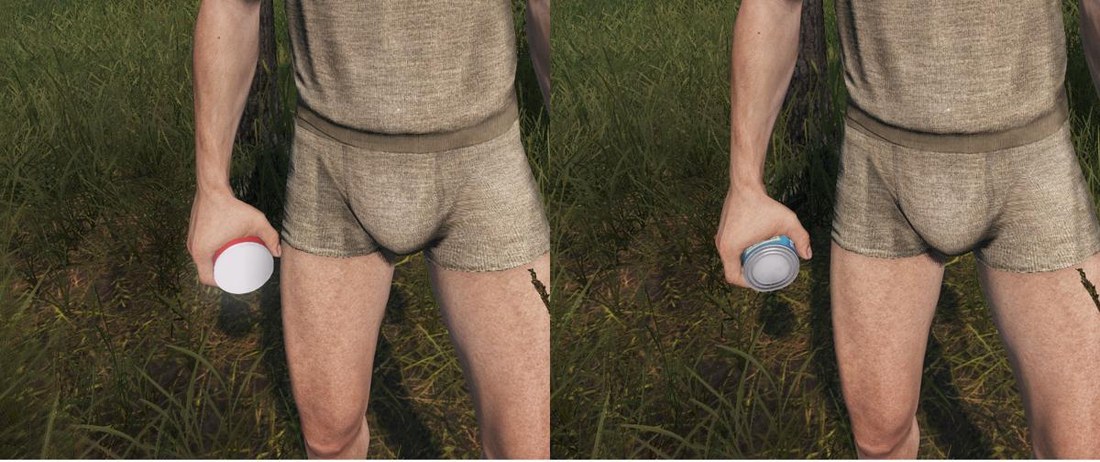
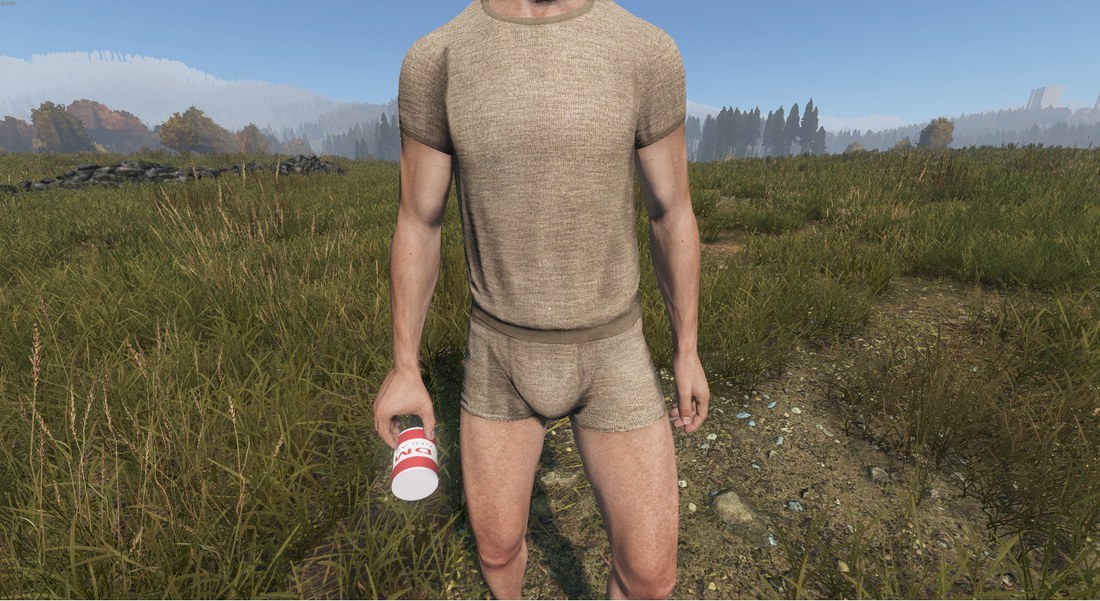
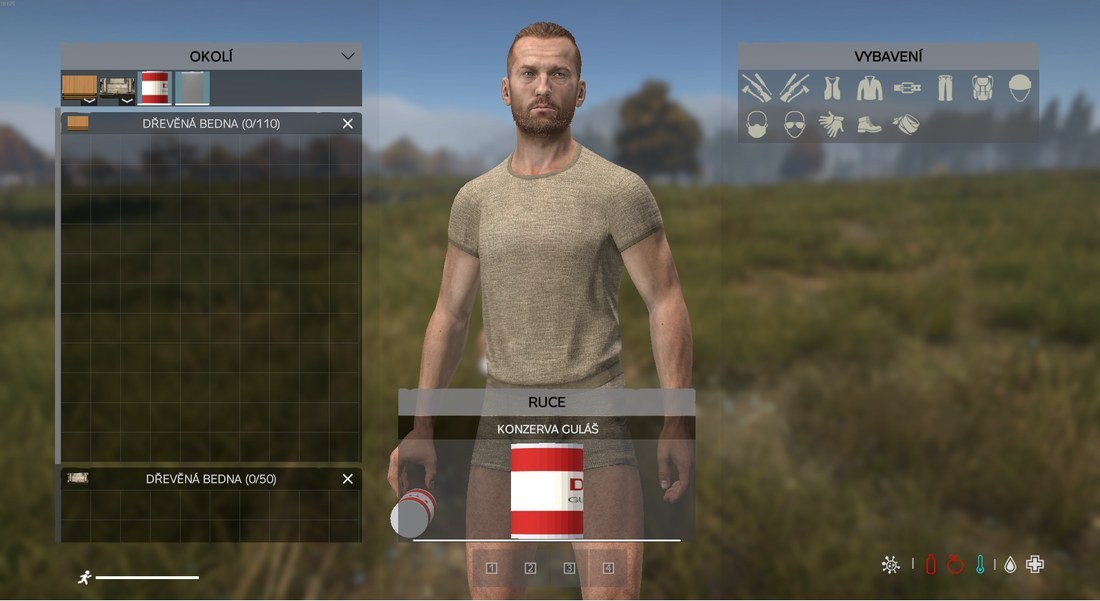
Grip in hand: the plugin compares the model shape with 48 vanilla items (cans, bottles, boxes, bandage, radio, cases…), rotates and moves the model to where the hand holds the closest one, and gives its hand pose to the new class with a script that is packed with the mod. If it does not fit, pick the vanilla item by hand, or No alignment.
Space inside containers
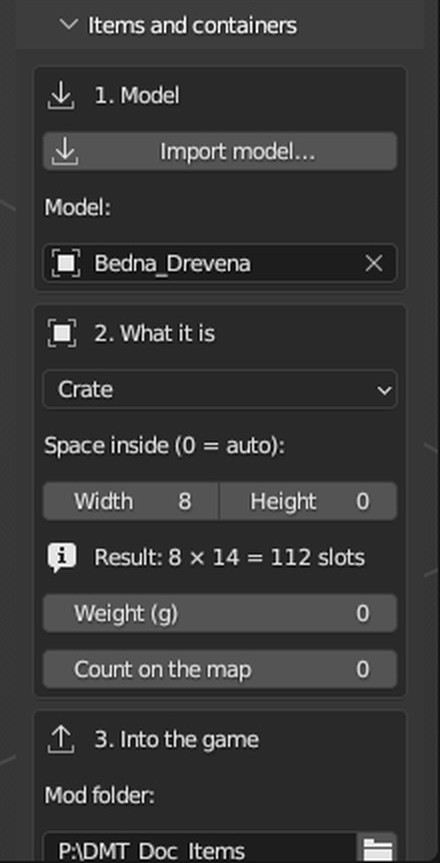
For cases, crates, cabinets and tents you enter the space inside as Width × Height in slots. 0 means automatic from the volume (an 88 l crate gets 46 slots, the vanilla crate has 50). If you fill in only one field, the other is calculated. Width is at most 10 like vanilla containers. The panel shows the result right away, e.g. “Result: 8 × 14 = 112 slots”.
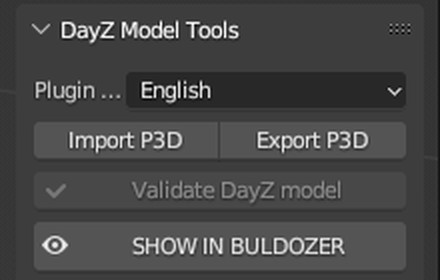
Buldozer preview
Look at the finished model in Buldozer just like from Object Builder, without saving and opening it by hand.
1
Click SHOW IN BULDOZER. The button is at the top of the main panel and in the weapon, vehicle, building and item panels.
2
The plugin saves the P3D, opens it in Object Builder from DayZ Tools and starts Buldozer by itself. The weapon, vehicle, building and item panels show the last model from CREATE, exactly the P3D that goes into the game. The main panel shows the selected DayZ LODs or selected meshes.
3
Another click closes the previous windows and opens the new model. The X button closes Buldozer.
The plugin sets the Buldozer path in Object Builder by itself when it is missing. The originals in Blender are not changed, previews are saved to
P:\DMT_Buldozer.Try it in game
1
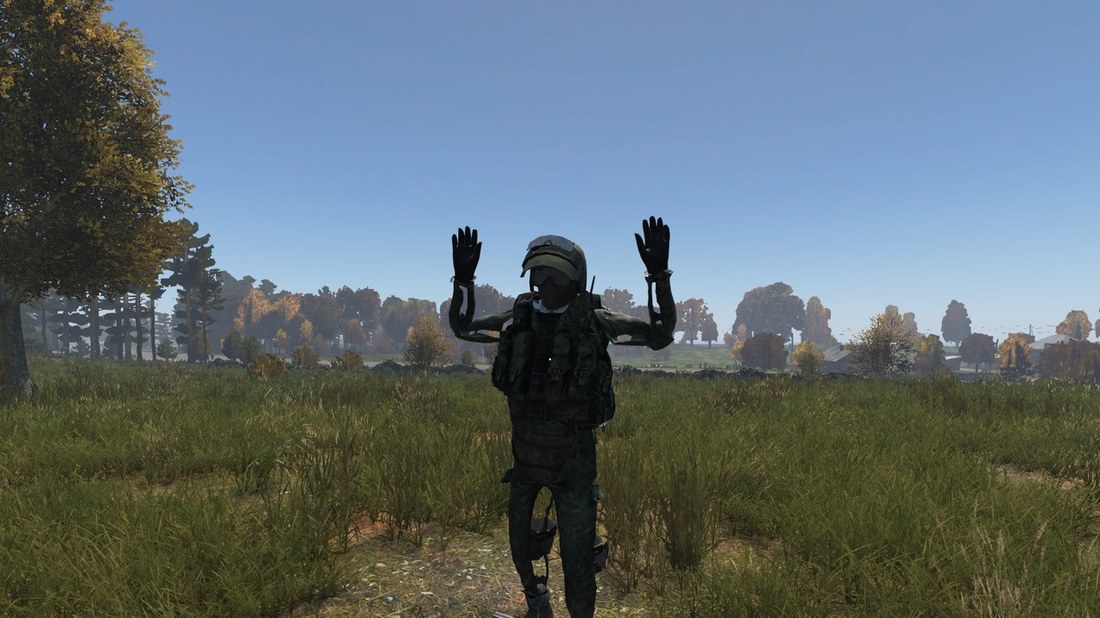
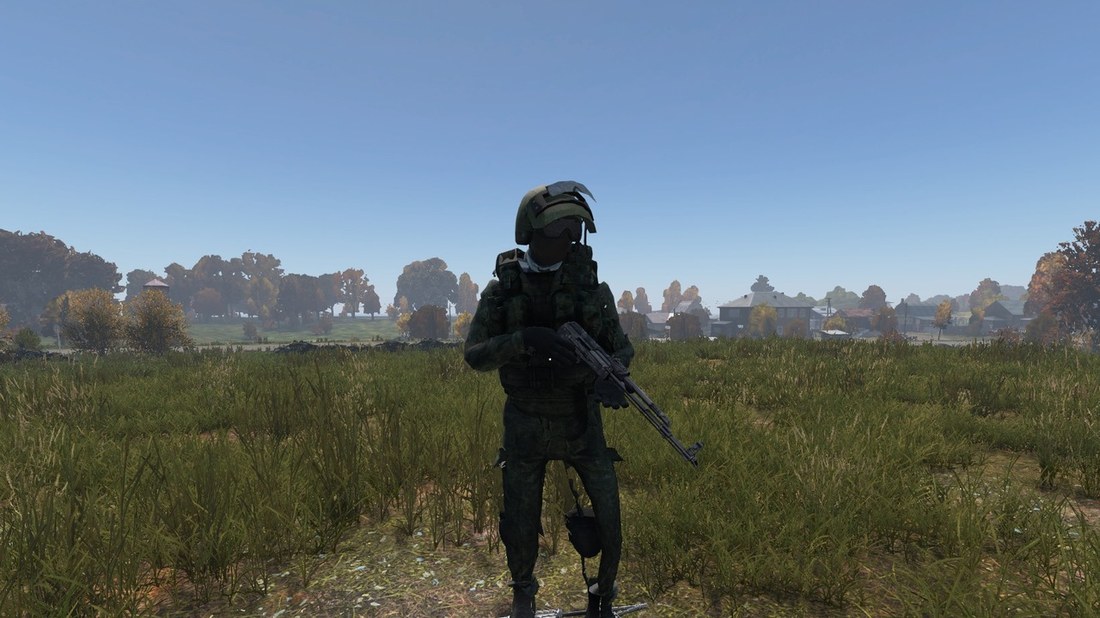
The mod is in the DayZ folder as @ModName (or in the PBO output). Start DayZ with -mod=@ModName or add it as a local mod in the DayZ Launcher.
2
Spawn the item, vehicle or building on a local server (admin tools, console or types.xml). Its name is the Class name you filled in.
Troubleshooting
| Problem | Fix |
|---|---|
| The hand holds the item off | In Grip in hand pick a vanilla item of a similar shape by hand and click CREATE ITEM again. |
| Buldozer does not open | Check in the Paths box that the plugin found DayZ Tools and DayZ. Buldozer needs the game installed. |
| What is author = SAPlugin in the model? | The plugin signature. Every P3D from the plugin has it in the Geometry LOD and it survives binarization. It does nothing in game. |
| Import failed: Version 6100 unsupported | Old FBX. The plugin tries the XNALara .mesh.ascii file in the same folder. |
| Model has no texture | Put the textures next to the model or into a textures subfolder (names with albedo, basecolor, diffuse, normal). |
| An item is in the wrong collection | Drag it into the right collection in the Outliner and click FIT ALL again. |
| A jacket without a rig and arms down comes out puffed | Use a model with a rig or in T-pose. |
| Helmet turned by 90° | Turn it straight before importing. A 180° turn is fixed by Model faces backwards. |
| DayZ Tools not found | Install DayZ Tools from Steam or set the path in the panel. |
| Build: Permission denied | DayZ has the mod open. Close the game and build again. |
| Wrong weapon template | Pick it by hand in the list below SUGGEST TEMPLATE. |
| The plugin did not find the car wheels | Wheels must be separate mesh parts. Separate them in Blender (Edit Mode → P → Selection) and try again. |
| Building doors not found or a wall rotates | Mark the doors by hand in the Model check. |
| Geometry stands next to the building | Update the plugin – since 1.32.2 the Geometry is shown on the building in Blender and the model is centred on import. |
| The weapon is invisible in game | Update the plugin – fixed in 1.32.0 (weapons with several textures). |
| DayZ Tools not found | Click Search all drives in the Paths box, or pick the DayZ Tools folder by hand. |
| Too many vertices when building | The plugin simplifies a too detailed LOD by itself; if it still happens, report the model as a bug. |
DAYZ 1.30
In game
Vanilla templates
Template list
Vehicles
| Class | Kind | 👤 |
|---|---|---|
| OffroadHatchback | Niva (Offroad Hatchback) | 2 |
| CivilianSedan | Olga 24 (Civilian Sedan) | 4 |
Firearms / Knives and melee
117 vanilla weapons the plugin uses to build new ones.
| Class | Kind | Parent | LOD |
|---|---|---|---|
| Crossbow | Bow / crossbow | Crossbow_Base | 9 |
| Crossbow_Autumn | Bow / crossbow | Crossbow_Base | 9 |
| Crossbow_Black | Bow / crossbow | Crossbow_Base | 9 |
| Crossbow_Summer | Bow / crossbow | Crossbow_Base | 9 |
| Crossbow_Wood | Bow / crossbow | Crossbow_Base | 9 |
| PVCBow | Bow / crossbow | Archery_Base | 8 |
| QuickieBow | Bow / crossbow | Archery_Base | 7 |
| RecurveBow | Bow / crossbow | Archery_Base | 9 |
| CZ527 | Bolt action (magazine) | CZ527_Base | 10 |
| CZ550 | Bolt action (magazine) | CZ550_Base | 10 |
| SSG82 | Bolt action (magazine) | SSG82_Base | 10 |
| SV98 | Bolt action (magazine) | SV98_Base | 11 |
| Scout | Bolt action (magazine) | Scout_Base | 10 |
| Mosin9130 | Bolt action | Mosin9130_Base | 10 |
| SawedoffMosin9130 | Bolt action | SawedoffMosin9130_Base | 11 |
| Winchester70 | Bolt action | Winchester70_Base | 10 |
| LAW | Launcher / flare | LAWBase | 12 |
| RPG7 | Launcher / flare | RPG7Base | 10 |
| UnderSlugGrenadeM4 | Launcher / flare | Launcher_Base | 9 |
| Cleaver | Blade | Inventory_Base | 9 |
| CombatKnife | Blade | Inventory_Base | 9 |
| CrudeMachete | Blade | Inventory_Base | 9 |
| FangeKnife | Blade | Inventory_Base | 9 |
| FirefighterAxe | Blade | Inventory_Base | 10 |
| FirefighterAxe_Black | Blade | FirefighterAxe | 10 |
| FirefighterAxe_Green | Blade | FirefighterAxe | 10 |
| Hatchet | Blade | Inventory_Base | 9 |
| HuntingKnife | Blade | Inventory_Base | 9 |
| KukriKnife | Blade | Inventory_Base | 10 |
| Machete | Blade | Inventory_Base | 9 |
| OrientalMachete | Blade | Inventory_Base | 10 |
| Pickaxe | Blade | Inventory_Base | 8 |
| Pitchfork | Blade | Inventory_Base | 7 |
| Sword | Blade | Inventory_Base | 9 |
| WoodAxe | Blade | Inventory_Base | 9 |
| BarbedBaseballBat | Blunt | Inventory_Base | 10 |
| BaseballBat | Blunt | Inventory_Base | 10 |
| BrassKnuckles_Dull | Blunt | BrassKnuckles_ColorBase | 10 |
| BrassKnuckles_MenAtArms | Blunt | BrassKnuckles_ColorBase | 10 |
| BrassKnuckles_Shiny | Blunt | BrassKnuckles_ColorBase | 10 |
| HockeyStick | Blunt | Inventory_Base | 7 |
| NailedBaseballBat | Blunt | Inventory_Base | 10 |
| NewHockeyStick | Blunt | Inventory_Base | 7 |
| PipeWrench | Blunt | Inventory_Base | 9 |
| PoliceBaton | Blunt | Inventory_Base | 8 |
| TelescopicBaton | Blunt | Inventory_Base | 6 |
| XmasBaseballBat | Blunt | Inventory_Base | 10 |
| Chainsaw | Powered | Switchable_Base | 9 |
| StunBaton | Powered | Powered_Base | 9 |
| CZ75 | Pistol | CZ75_Base | 10 |
| Colt1911 | Pistol | Colt1911_Base | 9 |
| Deagle | Pistol | Deagle_Base | 8 |
| Derringer_Black | Pistol | Derringer_Base | 9 |
| Derringer_Grey | Pistol | Derringer_Base | 9 |
| Derringer_Pink | Pistol | Derringer_Base | 9 |
| Engraved1911 | Pistol | Colt1911_Base | 9 |
| FNX45 | Pistol | FNX45_Base | 10 |
| FNX45_arrow | Pistol | FNX45 | 10 |
| Flaregun | Pistol | Flaregun_Base | 10 |
| Glock19 | Pistol | Glock19_Base | 9 |
| LongHorn | Pistol | LongHorn_Base | 9 |
| MKII | Pistol | MKII_Base | 9 |
| Magnum | Pistol | Magnum_Base | 10 |
| MakarovIJ70 | Pistol | MakarovIJ70_Base | 9 |
| MakarovPB | Pistol | MakarovPB_Base | 8 |
| P1 | Pistol | P1_Base | 8 |
| Red9 | Pistol | Red9_Base | 10 |
| SawedoffMagnum | Pistol | Magnum_Base | 10 |
| DartGun | Non-lethal pistol | NonlethalPistol | 12 |
| Shockpistol | Non-lethal pistol | Shockpistol_Base | 10 |
| AK101 | Rifle | AK101_Base | 10 |
| AK74 | Rifle | AK74_Base | 10 |
| AKM | Rifle | AKM_Base | 10 |
| AKM_TESTBED | Rifle | AKM | 10 |
| AKS74U | Rifle | AK74_Base | 10 |
| ASVAL | Rifle | VSS_Base | 11 |
| Aug | Rifle | Aug_Base | 10 |
| AugShort | Rifle | Aug_Base | 10 |
| B95 | Rifle | B95_Base | 8 |
| CZ61 | Rifle | CZ61_Base | 9 |
| FAL | Rifle | FAL_Base | 9 |
| FAMAS | Rifle | Famas_Base | 9 |
| GP25 | Rifle | GP25Base | 10 |
| GP25_Standalone | Rifle | GP25Base | 10 |
| Groza | Rifle | Groza_Base | 9 |
| Izh18 | Rifle | Izh18_Base | 10 |
| M14 | Rifle | M14_Base | 10 |
| M16A2 | Rifle | M16A2_Base | 10 |
| M203 | Rifle | M203Base | 9 |
| M203_Standalone | Rifle | M203Base | 9 |
| M249 | Rifle | M249_Base | 11 |
| M4A1 | Rifle | M4A1_Base | 11 |
| M79 | Rifle | M79_Base | 9 |
| MP5K | Rifle | MP5K_Base | 8 |
| PM73Rak | Rifle | PM73Rak_Base | 10 |
| PP19 | Rifle | PP19_Base | 9 |
| Repeater | Rifle | Repeater_Base | 10 |
| Ruger1022 | Rifle | Ruger1022_Base | 9 |
| SCARH | Rifle | SCARH_Base | 11 |
| SKS | Rifle | SKS_Base | 11 |
| SVD | Rifle | SVD_Base | 10 |
| SVD_Wooden | Rifle | SVD_Base | 10 |
| Saiga | Rifle | Saiga_Base | 10 |
| SawedoffB95 | Rifle | B95_Base | 8 |
| SawedoffFAMAS | Rifle | Famas_Base | 9 |
| SawedoffIzh18 | Rifle | Izh18 | 9 |
| Trumpet | Rifle | Trumpet_Base | 8 |
| UMP45 | Rifle | UMP45_Base | 9 |
| VSS | Rifle | VSS_Base | 10 |
| Vikhr | Rifle | VSS_Base | 10 |
| Izh18Shotgun | Shotgun | Izh18Shotgun_Base | 9 |
| Izh43Shotgun | Shotgun | Izh43Shotgun_Base | 9 |
| Mp133Shotgun | Shotgun | Mp133Shotgun_Base | 9 |
| Mp133Shotgun_PistolGrip | Shotgun | Mp133Shotgun_Base | 9 |
| R12 | Shotgun | R12_Base | 10 |
| SawedoffIzh18Shotgun | Shotgun | Izh18Shotgun_Base | 9 |
| SawedoffIzh43Shotgun | Shotgun | Izh43Shotgun_Base | 9 |